Tor Browser APK Latest Version
★★★★☆ 4.2 · (287K Reviews)
15.0.20
106 MB
50M+
OS 5+
100% Secured & Verified APK Files
App Preview
Screenshots:
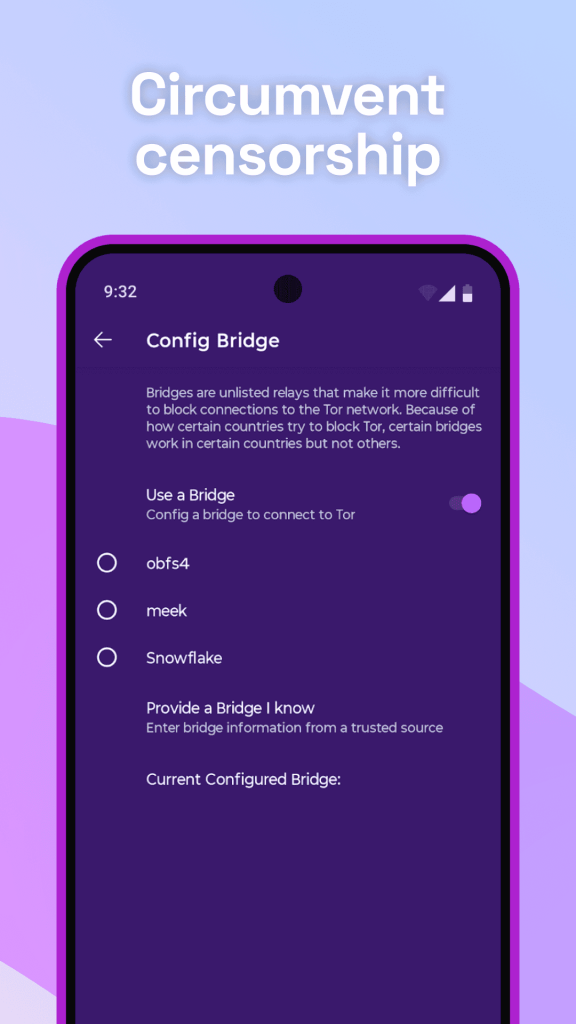
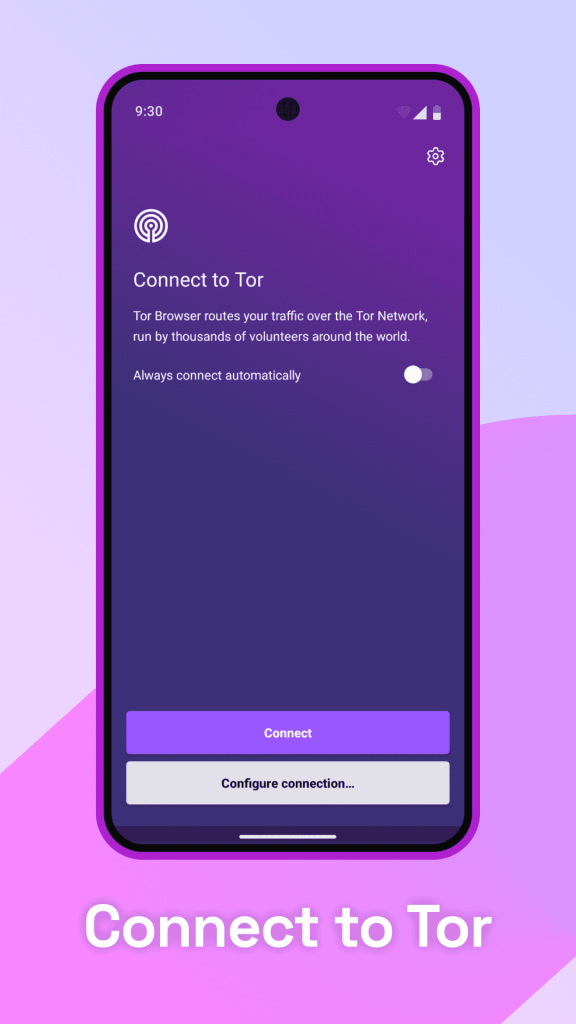
Tor Browser APK Download – Latest Version 2026
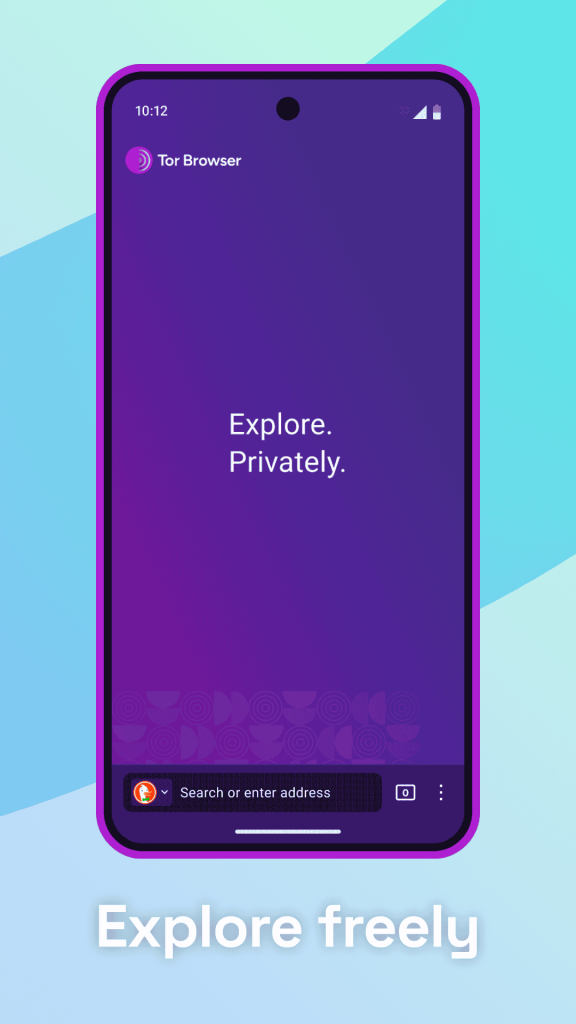
Tor Browser remains the leading choice for Android users who prioritize online anonymity above all else. It routes traffic through a volunteer-run network of relays, making it far harder to trace browsing activity back to a single device. This guide covers everything about the Tor Browser APK, including features, installation, safety, and update steps.
Info Box: Quick Facts
| Detail | Information |
|---|---|
| App Name | Tor Browser |
| Latest Version | v14.5 |
| Size | Approximately 105 MB |
| Platform | Android 8.0 and above |
| Developer | The Tor Project |
| Category | Privacy Browser |
| Availability | Google Play Store, F-Droid, and direct APK |
What Is Tor Browser?
Tor Browser is a privacy-focused web browser developed by The Tor Project, a nonprofit organization dedicated to online anonymity research. It routes internet traffic through three encrypted relay layers before reaching its destination, which is the origin of the name “The Onion Router.” Because of this layered routing, tracking a user’s real location or identity becomes significantly more difficult than with a standard browser.
The app is available directly through the Google Play Store, F-Droid, and The Tor Project’s own official site. Some users prefer the standalone APK file to install a specific version manually or to sideload it in regions where Play Store access is restricted. Every legitimate copy traces back to the same open-source codebase, since The Tor Project does not distribute unofficial modified builds.
Tor Browser has built a dedicated following among journalists, researchers, and privacy-conscious users worldwide. Its reputation centers on resisting surveillance and censorship rather than offering the fastest possible browsing speed. As a result, users choose it specifically for situations where anonymity matters more than raw performance.
Key Features of Tor Browser
Tor Browser packs a focused set of tools built entirely around privacy and anonymity. The list below covers the features most users rely on.
Multi-Layer Traffic Encryption
Tor routes each connection through three randomly selected relays, encrypting the data separately at each layer. No single relay in the chain knows both the origin and the final destination of the traffic. This structure makes it extremely difficult for any single point in the network to identify a user’s activity.
Built-In Tracker and Fingerprint Blocking
Tor Browser blocks third-party trackers by default and works to make every user’s browser fingerprint look as similar as possible to others. Standardized window sizing and disabled fingerprinting scripts reduce the ability of websites to identify a specific device. This uniformity forms a core part of Tor’s anonymity model.
Access to .onion Sites
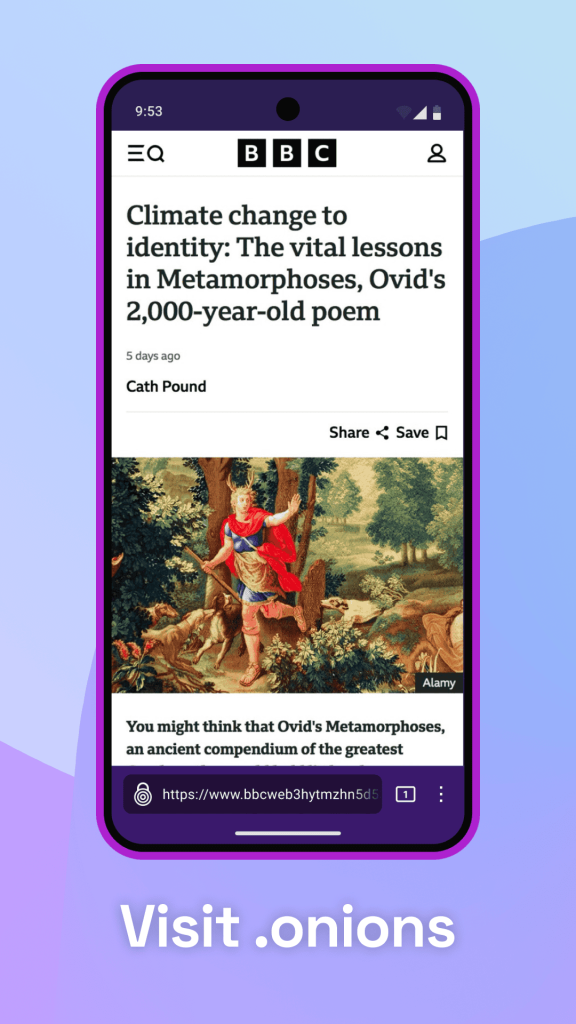
Tor Browser can access special .onion domains, which exist only within the Tor network and cannot be reached through standard browsers. These sites often host privacy-focused services, forums, and resources unavailable elsewhere. Access requires no additional configuration beyond typing the .onion address directly into the browser.
New Identity and New Circuit Tools
The New Identity feature clears all browsing data and assigns a fresh set of relay circuits, effectively resetting the user’s anonymity session. New Circuit for This Site changes only the relay path for the current tab without affecting other open sessions. Both tools give users quick control over their anonymity level during active browsing.
Security Level Settings
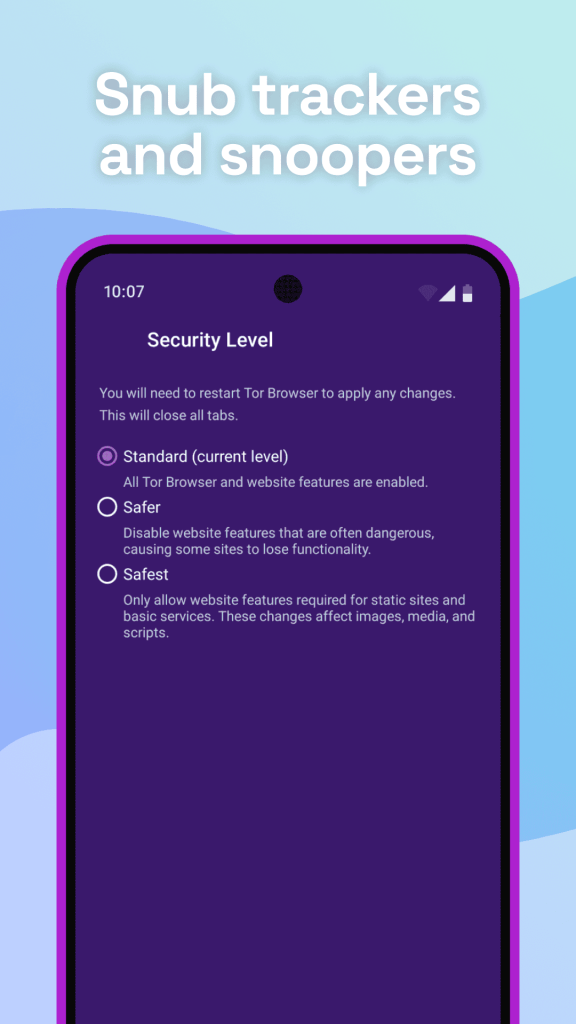
Users can adjust the security level between Standard, Safer, and Safest, each disabling progressively more web features that could be exploited for tracking or attacks. Safest mode disables JavaScript entirely on most sites for maximum protection. This tiered approach lets users balance functionality against anonymity based on their specific needs.
Bridge Configuration for Censorship Circumvention
In regions where Tor access is blocked, built-in bridge configurations help users connect to the network through less detectable entry points. Options include obfs4 and Snowflake bridges, both designed to disguise Tor traffic as ordinary web activity. This feature proves essential for users in heavily censored regions.
No Persistent Browsing History
Tor Browser does not retain browsing history, cookies, or site data between sessions by default. Every session behaves similarly to private browsing mode in a standard browser, but with the added protection of the Tor network itself. This design choice prioritizes anonymity over convenience features like autofill or saved logins.
HTTPS-Only Connections
The browser enforces encrypted HTTPS connections wherever possible, automatically upgrading insecure HTTP requests when a secure version of a site exists. This reduces the risk of data interception at the final relay before it reaches the destination server. Combined with onion routing, this creates layered protection across the entire connection path.
App Requirements Before Installation
A few basic checks help the installation go smoothly. Review the table below before starting the download.
| Requirement | Details |
|---|---|
| Android Version | Android 8.0 or higher |
| Free Storage | At least 150 MB recommended |
| Internet | Stable Wi-Fi or mobile data |
| RAM | 2 GB minimum for smooth performance |
| Patience | Slower load times than standard browsers |
Info Box: Before You Install Confirm the phone has enough battery to avoid interruption during setup. Close other heavy apps to free up memory during installation. A stable connection prevents partial or corrupted downloads, since Tor’s relay connection process can be sensitive to interruptions.
Tor Browser Latest Version Overview
Version 14.5 focuses on connection stability, bridge reliability, and general security patching. The update also improves onion site loading speed on mobile networks. Below is a short summary of what changed.
Because Tor Browser updates through the Play Store for most users, new versions typically install automatically once released. Manual APK installation becomes relevant mainly for users in restricted regions or those verifying the app through The Tor Project’s official cryptographic signatures. Checking release notes before a manual install helps confirm compatibility with the device in use.
How to Download and Install Tor Browser APK
Follow these steps in order to avoid installation errors.
- Enable Unknown Sources – Open phone Settings, go to Security, and allow installation from unknown sources if installing outside the Play Store.
- Download the APK – Get the Tor Browser APK file from The Tor Project’s official site or the Play Store listing directly.
- Open the File – Locate the APK in the Downloads folder and tap it to begin installation.
- Grant Permissions – Allow access to storage and network permissions when prompted during setup.
- Connect to Tor – Tap Connect on first launch, or configure a bridge if standard connection fails.
Info Box: Common Install Errors “App Not Installed” usually means an older version conflicts with the new file. Uninstalling the previous version, though this clears any saved bridge configuration, often resolves this. Corrupted downloads can also cause this error, so a fresh download from the official source is worth trying.
Why Users Choose Tor Browser
Tor Browser’s biggest draw remains the level of anonymity it provides compared with any standard browser. Because traffic passes through three independent relays with layered encryption, tracing activity back to a specific user becomes far more difficult. This structural protection explains why journalists and researchers in sensitive environments rely on it as a core tool.
Censorship resistance also plays a major role in its adoption. Bridge configurations allow access to the open internet even in regions that actively block standard Tor connections. As a result, Tor Browser often serves as one of the few reliable options for users facing heavy internet restrictions.
Access to onion services adds another layer of appeal for specific use cases. Whistleblower platforms, privacy-focused forums, and secure communication tools frequently operate exclusively through .onion addresses. For users who need these resources, no standard browser offers a comparable alternative.
Tor Browser Pros and Cons
| Pros | Cons |
|---|---|
| Strong multi-layer traffic encryption | Noticeably slower than standard browsers |
| Access to .onion sites | Some mainstream sites block Tor traffic |
| Built-in censorship circumvention tools | JavaScript restrictions can break site functionality |
| No persistent browsing history by default | Not ideal for everyday casual browsing |
| Open-source and independently audited | Streaming and large downloads perform poorly |
| Strong fingerprint resistance | Learning curve for security level settings |
How to Use Tor Browser After Installation
Getting started takes only a few minutes once the app is installed.
- Open Tor Browser and tap Connect to join the network using default settings.
- Configure a bridge under Settings if the standard connection fails or is blocked.
- Adjust the Security Level to Safer or Safest depending on the browsing situation.
- Use New Identity between separate browsing sessions for stronger anonymity.
- Type a known .onion address directly into the address bar to access onion services.
If connection attempts fail, check whether Tor is blocked on the current network and try a bridge configuration instead. Slow page loading is expected behavior due to the multi-relay routing process rather than a sign of malfunction. A restart combined with the latest version update resolves most remaining connection issues.
How to Update Tor Browser
Keeping Tor Browser updated protects against security vulnerabilities and ensures access to the newest anonymity protections. The steps below outline the standard method.
- Open Play Store – Navigate to the Play Store app and search for Tor Browser.
- Check for Updates – Tap Update if a newer version is available.
- Install Automatically – Enable auto-update in Play Store settings for future versions.
- Manual APK Alternative – Download the latest signed APK directly from The Tor Project if Play Store access is unavailable.
Info Box: What Happens If You Skip Updates Older Tor Browser versions gradually lose compatibility with the current relay network over time. Missing security patches also raises exposure to known fingerprinting or deanonymization techniques. Outdated builds tend to experience more frequent connection failures and slower bridge negotiation.
Tor Browser Old Versions
Some users prefer older builds for reasons tied to device compatibility or personal preference. The table below lists commonly requested older versions and their general strengths.
| Version | Highlights | Best For |
|---|---|---|
| v12.5 | Lightweight, lower memory usage | Older or low-RAM devices |
| v13.0 | Improved bridge configuration menu | Users in censored regions |
| v13.5 | Enhanced fingerprint resistance | Privacy-focused users |
| v14.0 | Snowflake bridge support added | Users needing advanced circumvention |
| v14.5 | Refined performance and stability | Most current Android devices |
Older versions generally suit devices running an outdated Android build or limited RAM. They also appeal to users who prefer a familiar interface without recent visual changes. Switching versions works best after confirming the version still receives security support from The Tor Project.
Tor Browser vs Other Privacy Browsers
| Feature | Tor Browser | Brave Browser | Opera Browser |
|---|---|---|---|
| Traffic Routing | Three-layer relay network | Direct with optional Tor tab | Direct with optional VPN |
| Onion Site Access | Yes, native | Limited, via private window | No |
| Speed | Slower due to relay routing | Fast | Fast |
| Fingerprint Resistance | Very strong | Moderate | Moderate |
| Censorship Circumvention | Strong, bridge support | Limited | Limited |
| Everyday Browsing Suitability | Lower | High | High |
Tor Browser Alternatives
Users who want a different balance of privacy and speed sometimes explore other options as well.
- Brave Browser – Offers a built-in private Tor tab alongside faster everyday browsing.
- Opera Browser – Provides a free VPN for general privacy without the speed trade-off of relay routing.
- Mozilla Firefox – Delivers strong tracking protection with full extension support for added customization.
- DuckDuckGo Browser – Focuses on simplified privacy defaults for users who want minimal configuration.
Each alternative shares a general privacy focus while differentiating through speed, onion access, or configuration simplicity. The right choice generally depends on whether maximum anonymity or everyday browsing convenience matters most to the user.
Who Should Use Tor Browser?
Tor Browser suits users who need strong anonymity for specific, sensitive browsing situations. It fits well for journalists, activists, and researchers operating in environments where surveillance or censorship poses a real risk. Users accessing onion services or communicating through privacy-focused platforms also rely on it as a primary tool.
It also appeals to privacy-conscious users who want occasional protection for sensitive searches or transactions. In addition, its bridge configuration options make it valuable for anyone in a region with active internet restrictions. Security researchers frequently use it as well when investigating anonymity and network behavior.
That said, Tor Browser is not built for everyday casual browsing. Users who stream video, download large files, or need consistently fast page loads are generally better served by a standard browser. Anyone unfamiliar with security level settings may also find the reduced functionality in Safest mode inconvenient for regular use.
Frequently Asked Questions
Is Tor Browser free to download? Yes, Tor Browser is completely free and does not require any payment or subscription.
Is it safe to download the Tor Browser APK outside the Play Store? Downloading directly from The Tor Project’s official site is safe, especially when verifying the cryptographic signature. However, third-party sites should be avoided since they may distribute modified or compromised files.
Why is my Tor Browser APK not connecting? This usually happens due to network-level blocking of the Tor protocol. Configuring a bridge under Settings typically resolves the connection issue.
Does Tor Browser make me completely anonymous? Tor Browser significantly increases anonymity, but no tool guarantees complete anonymity in every situation. Combining it with careful browsing habits, such as avoiding personal account logins, strengthens overall protection.
Why does Tor Browser load pages so slowly? This is expected behavior, since traffic passes through three separate relays before reaching its destination. The added routing steps trade speed for stronger anonymity protection.
Can I stream video or download large files through Tor? Technically possible, but not recommended, since the relay network is not designed for high-bandwidth activity. A standard browser handles these tasks far more efficiently.
What is the difference between Standard, Safer, and Safest security levels? Standard enables all browser features with baseline protection, Safer disables some scripts on non-HTTPS sites, and Safest disables JavaScript almost everywhere. Higher levels increase protection but reduce site functionality.
How often does Tor Browser update? Tor Browser typically updates every few weeks through the Play Store. Security patches may arrive more frequently outside the standard release cycle, particularly in response to newly discovered vulnerabilities.
Can I access regular websites through Tor Browser? Yes, Tor Browser functions as a full web browser and can access standard websites in addition to onion services. Some sites may restrict or challenge Tor traffic due to its anonymity, however.
Is Tor Browser legal to use? Yes, Tor Browser is legal in most countries and is widely used for legitimate privacy, research, and journalism purposes. Some heavily restrictive regions do limit or monitor its use, so local regulations should always be checked.
Tor Browser Privacy and Data Settings
Tor Browser includes several built-in tools for managing how much data it collects and shares. The Privacy and Security section under Settings controls the default security level, bridge configuration, and onion service preferences. Adjusting these settings allows users to strike a balance between anonymity and everyday usability.
Site-specific permissions can be reviewed and adjusted individually, covering camera, microphone, and location access requests. This granular control prevents unnecessary background access from sites attempting to identify device details. Reviewing these permissions periodically is a good habit for anyone relying on Tor for sensitive browsing.
Tor Browser also clears cookies, cache, and site data automatically at the end of each session by default. Users can trigger this manually at any point through the New Identity feature rather than waiting for the session to end. This makes it easy to maintain a clean anonymity state without manually clearing data through separate settings menus.
Final Verdict
Tor Browser delivers a level of anonymity and censorship resistance that no standard browser can match. Its strength lies in multi-layer traffic encryption, onion site access, and built-in tools for circumventing internet restrictions. Users who need strong privacy for sensitive research, journalism, or censored environments generally find it an essential tool.
Those seeking fast everyday browsing or smooth video streaming are better served by a standard browser like Chrome or Opera instead. For situations where anonymity outweighs speed, Tor Browser remains one of the most trusted and thoroughly tested privacy tools available. Downloading directly from The Tor Project’s official source or the Play Store ensures the safest and most reliable installation experience.