
Yandex Browser APK Latest Version
★★★★☆ 4.5 · (3.1M Reviews)
1826.8
271 MB
100M+
OS 5+
100% Secured & Verified APK Files
App Preview
Screenshots:


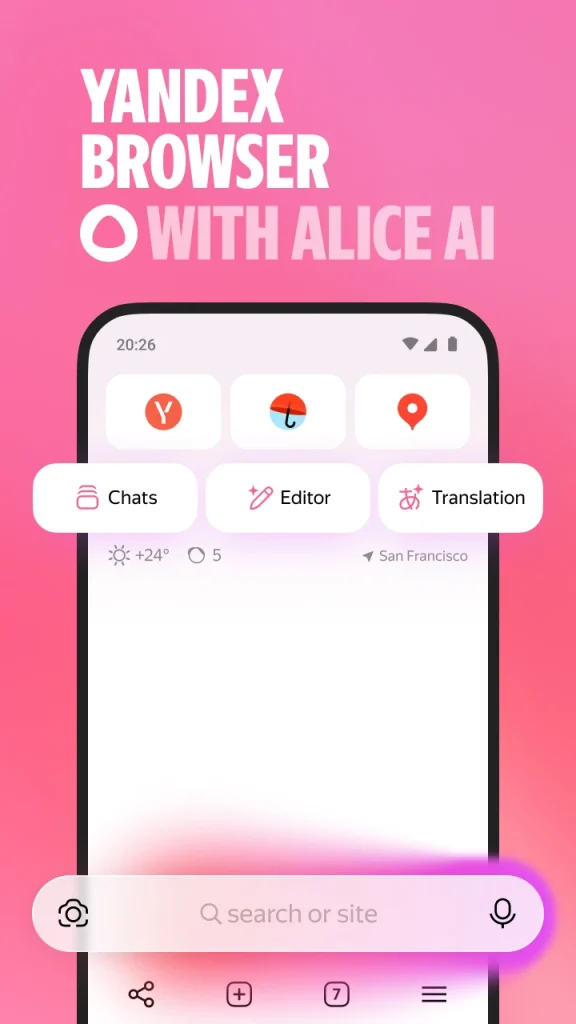
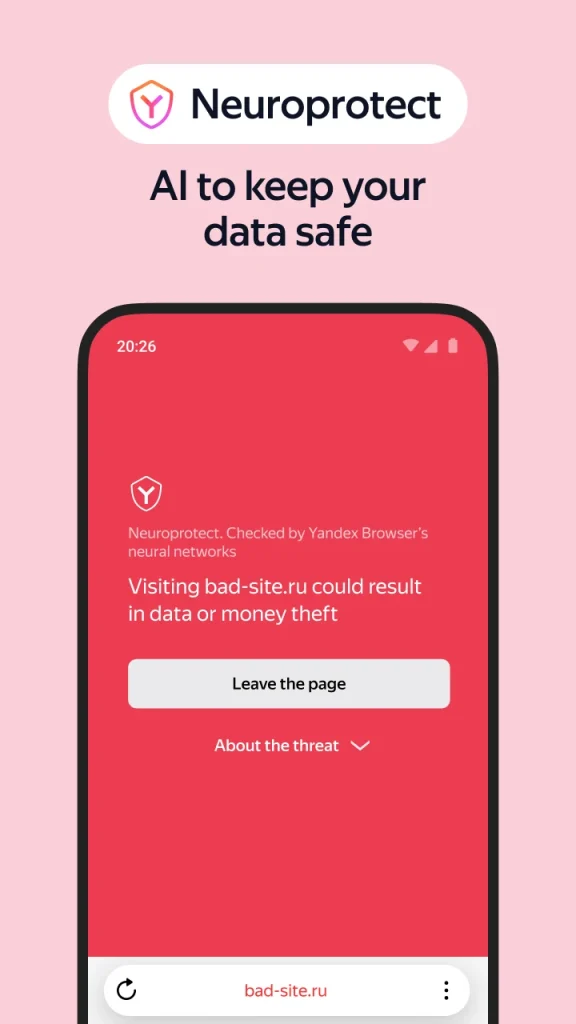
Yandex Browser APK Download – Latest Version 2026
Yandex Browser combines fast Chromium-based performance with a built-in AI assistant and strong security tools developed by Yandex. It offers traffic compression, ad blocking, and cross-device sync in a single lightweight package. This guide covers everything about the Yandex Browser APK, including features, installation, safety, and update steps.
Info Box: Quick Facts
| Detail | Information |
|---|---|
| App Name | Yandex Browser |
| Latest Version | v26.6.x |
| Size | Approximately 55 MB |
| Platform | Android 5.0 and above |
| Developer | Yandex |
| Engine | Blink, Chromium-based |
| Availability | Google Play Store and direct APK |
What Is Yandex Browser?
Yandex Browser is a Chromium-based web browser developed by Yandex, a technology company known primarily for its search engine. It shares core browsing technology with Chrome while adding its own set of tools, including an AI assistant called Alice, built-in ad blocking, and a security layer branded Protect. Because Yandex maintains both the browser and several connected services, features tend to integrate closely with the wider Yandex ecosystem.
The app is available directly through the Google Play Store for most Android devices. Some users prefer the standalone APK file instead, usually to install a specific version manually or to sideload it on a device with limited Play Store access. Every legitimate copy traces back to the same Yandex-maintained codebase, since the company does not distribute unauthorized third-party builds.
Yandex Browser holds a meaningful share of the browser market, particularly in Russia and parts of Eastern Europe and Central Asia. Its appeal extends beyond regional popularity, however, since features like Turbo compression and the Alice AI assistant attract users elsewhere as well. As a result, a growing number of users outside its core regions choose it specifically for its speed and integrated assistant tools.

Key Features of Yandex Browser
Yandex Browser packs a wide set of tools built around speed, security, and everyday convenience. The list below covers the features most users rely on daily.
Alice AI Assistant
Alice is Yandex’s generative AI assistant, built directly into the browser and accessible from any open page. Users can ask questions about page content, request summaries, get writing help, or run additional searches without leaving the current tab. This integration turns the browser into more than a passive tool for viewing web pages.
Turbo Traffic Compression
Turbo mode compresses web pages in real time before delivering them to the device, reducing both data usage and load times. This proves especially effective on slower connections like 3G, where pages load noticeably faster than through standard browsing. Users can toggle Turbo mode manually or let it activate automatically when a slow connection is detected.
Built-In Ad Blocker
Yandex Browser includes an ad blocker active by default, removing most intrusive banners and pop-ups without requiring a separate extension. This keeps page loading fast while reducing visual clutter across most websites. Blocking rules can be adjusted for specific sites through the browser’s settings menu.
Protect and Neuroprotect Security
The Protect security system scans sites and downloaded files for threats using data drawn from Yandex’s broader security infrastructure. Neuroprotect adds a neural network layer that helps identify dangerous sites and files before they cause harm. Together, these tools provide a security framework that operates largely in the background without manual configuration.
Cross-Device Sync via Yandex ID
Signing into a Yandex ID account links bookmarks, passwords, open tabs, and browsing history across every device using the browser. This mirrors the sync functionality found in Chrome and other major browsers, tailored specifically to Yandex’s account system. A tab opened on a desktop can be resumed instantly on a phone through the same account.
Video Translation
Yandex Browser can translate spoken audio in videos in near real time, overlaying translated audio or subtitles as the video plays. This feature works across a range of supported languages and proves useful for accessing foreign-language video content. It sets Yandex apart from most mainstream browsers that only translate on-page text.
Smart Address Bar (Smartbox)
The Smartbox combines the address bar and search bar into a single field, offering search suggestions, site predictions, and direct answers to simple queries. It defaults to Yandex Search but can be configured to use Google or another search engine instead. This flexibility lets users keep familiar search habits while still accessing Smartbox convenience features.
Customizable Start Page
The start page displays shortcuts to frequently visited sites alongside customizable widgets like weather or news. Background themes and layout options let users adjust the page to match personal preferences. This turns the new tab screen into a functional dashboard rather than a blank search bar.
App Requirements Before Installation
A few basic checks help the installation go smoothly. Review the table below before starting the download.
| Requirement | Details |
|---|---|
| Android Version | Android 5.0 or higher |
| Free Storage | At least 100 MB recommended |
| Internet | Stable Wi-Fi or mobile data |
| RAM | 1.5 GB minimum for smooth performance |
| Yandex ID | Optional, recommended for sync features |
Info Box: Before You Install, confirm the phone has enough battery to avoid interruption during setup. Close other heavy apps to free up memory during installation. A stable connection prevents partial or corrupted downloads.
Yandex Browser Latest Version Overview
Version 26.6.x focuses on Alice AI refinements, Turbo compression improvements, and general security patching. The update also improves video translation accuracy across supported languages. Below is a short summary of what changed.
Because Yandex Browser updates through the Play Store for most users, new versions typically install automatically once released. Manual APK installation becomes relevant mainly for users testing a specific build or working around regional access limitations. Checking release notes before a manual install helps confirm compatibility with the device in use.
How to Download and Install Yandex Browser APK
Follow these steps in order to avoid installation errors.
- Enable Unknown Sources – Open phone Settings, go to Security, and allow installation from unknown sources if installing outside the Play Store.
- Download the APK – Get the Yandex Browser APK file from a trusted source, or open the Play Store listing directly.
- Open the File – Locate the APK in the Downloads folder and tap it to begin installation.
- Grant Permissions – Allow access to storage, location, and camera when prompted, based on preferred features.
- Sign In – Enter a Yandex ID to enable sync, or continue browsing without signing in.
Info Box: Common Install Errors “App Not Installed” usually means an older version conflicts with the new file. Uninstalling the previous version, though it risks losing local browsing data without sync enabled, often resolves this. Corrupted downloads can also cause this error, so a fresh download from the same source is worth trying.
Why Users Choose Yandex Browser
Yandex Browser’s biggest draw remains the Alice AI assistant, which offers page summaries, writing help, and contextual search directly within the browsing session. Because this assistant works across any open page, it reduces the need to switch between separate apps for quick research or content review. This built-in convenience explains much of the browser’s appeal beyond its core regional user base.
Performance on slower connections also plays a meaningful role in its adoption. Turbo compression noticeably speeds up page loading on limited networks, which matters for users in regions with inconsistent internet infrastructure. In addition, the built-in ad blocker keeps browsing fast without requiring a separate extension.
Security-conscious users are drawn to the combined Protect and Neuroprotect system as well. These tools scan for threats using neural network detection layered on top of standard security scanning. As a result, users get a reasonably comprehensive security framework without needing to install separate antivirus or ad-blocking apps.
Yandex Browser Pros and Cons
| Pros | Cons |
|---|---|
| Built-in Alice AI assistant | Smaller extension ecosystem than Chrome |
| Strong Turbo compression for slow networks | Some users may be unfamiliar with Yandex Search |
| Built-in ad blocker | Data processing tied to Yandex’s infrastructure |
| Neuroprotect security scanning | Less brand recognition outside core regions |
| Real-time video translation | Sync features require a Yandex ID account |
| Customizable start page | Regional availability varies by app store policy |
How to Use Yandex Browser After Installation
Getting started takes only a few minutes once the app is installed.
- Open Yandex Browser and sign in with a Yandex ID, or skip sign-in for local-only browsing.
- Import bookmarks or passwords from another browser if prompted during setup.
- Set a preferred default search engine under Settings if Yandex Search is not desired.
- Enable Turbo mode manually or leave it set to automatic activation on slow networks.
- Try Alice by tapping the assistant icon on any open page.
If pages load slowly, check the internet connection first, since this causes most performance issues, though Turbo mode can help compensate on weaker networks. Sync problems usually trace back to an inactive Yandex ID connection, which can be resolved by re-signing in under Settings. A restart combined with the latest version update fixes most remaining glitches.
How to Update Yandex Browser
Keeping Yandex Browser updated protects against security vulnerabilities and ensures access to the newest features. The steps below outline the standard method.
- Open Play Store – Navigate to the Play Store app and search for Yandex Browser.
- Check for Updates – Tap Update if a newer version is available.
- Install Automatically – Enable auto-update in Play Store settings for future versions.
- Manual APK Alternative – Download the latest APK directly if Play Store access is unavailable.
Info Box: What Happens If You Skip Updates Older Yandex Browser versions gradually lose compatibility with modern websites over time. Missing security patches also raises exposure to known vulnerabilities. Outdated builds tend to run slower and may lack the newest Alice AI or Neuroprotect improvements.
Yandex Browser Old Versions
Some users prefer older builds for reasons tied to device compatibility or personal preference. The table below lists commonly requested older versions and their general strengths.
| Version | Highlights | Best For |
|---|---|---|
| v24.0 | Lightweight, lower memory usage | Older or low-RAM devices |
| v25.0 | Improved Turbo compression | Users on slower networks |
| v25.6 | Neuroprotect security introduced | Security-focused users |
| v26.0 | Alice AI assistant expanded | Users wanting AI-assisted browsing |
| v26.6 | Refined performance and stability | Most current Android devices |
Older versions generally suit devices running an outdated Android build or limited RAM. They also appeal to users who prefer a familiar interface without recent visual changes. Switching versions works best after confirming that bookmarks remain synced through a Yandex ID account.
Yandex Browser vs Other Browsers
| Feature | Yandex Browser | Google Chrome | Opera Browser |
|---|---|---|---|
| Built-In AI Assistant | Yes, Alice | Limited, Gemini integration varies | No |
| Traffic Compression | Strong, Turbo mode | Limited, Data Saver only | Strong, server-based |
| Ad Blocking | Built in | Desktop only | Native built-in |
| Video Translation | Yes, real-time | No | No |
| Sync Ecosystem | Yandex ID based | Google account based | Opera account based |
| Security Scanning | Protect and Neuroprotect | Safe Browsing | Standard |
Yandex Browser Alternatives
Users who want a different browsing experience sometimes explore other options as well.
- Google Chrome – Offers the widest compatibility and deepest Google ecosystem integration.
- Opera Browser – Provides a free built-in VPN and native ad blocker for general privacy.
- Microsoft Edge – Delivers similar speed with added productivity tool integration.
- Brave Browser – Focuses on built-in ad blocking with a rewards-based browsing model.
Each alternative shares core browsing functionality while differentiating through AI features, ecosystem integration, or privacy focus. The right choice generally depends on whether built-in AI tools, compression strength, or broader compatibility matters most to the user.
Who Should Use Yandex Browser?
Yandex Browser suits users who want an AI assistant integrated directly into everyday browsing rather than accessed through a separate app. It fits well for anyone on a slower or capped data connection, since Turbo compression noticeably improves load times and reduces data usage. Users who frequently watch foreign-language video content also benefit from the real-time translation feature.
It also appeals to users who want built-in ad blocking and security scanning without installing several separate tools. In addition, the customizable start page and Smartbox search functionality suit users who prefer a more consolidated browsing dashboard. Travelers and users in regions with variable internet infrastructure often find real practical value here.
That said, Yandex Browser is not the strongest choice for everyone. Users prioritizing the widest possible mobile extension support may find Chrome or Firefox a better fit. Anyone with specific concerns about data processing tied to a non-Google, non-Apple infrastructure provider should review Yandex’s privacy documentation before adopting it as a daily browser.
Yandex Browser Privacy and Data Settings
Yandex Browser includes several built-in tools for managing how much data it collects and shares. The Privacy section under Settings controls cookie behavior, Turbo compression routing, and Alice interaction history. Adjusting these settings allows users to strike a balance between convenience and data minimization.
Site-specific permissions can be reviewed and revoked individually, covering camera, microphone, location, and notification access. This granular control prevents unnecessary background access from sites that no longer need it. Reviewing these permissions periodically is a good habit for anyone concerned about long-term data exposure.
Yandex Browser also offers a “Clear Browsing Data” tool that removes history, cookies, and cached files in a single action. Users can select a specific time range rather than clearing everything at once. This makes it easy to maintain a lighter browsing footprint without losing saved passwords or bookmarks in the process.
Frequently Asked Questions
Is Yandex Browser free to download? Yes, Yandex Browser is completely free and does not require any payment or subscription.
Is it safe to download the Yandex Browser APK outside the Play Store? Downloading directly from Yandex’s official source is safe. However, third-party sites should be avoided since they may distribute modified or outdated files.
Why is my Yandex Browser APK not installing? This usually happens due to a version conflict or insufficient storage space. Clearing storage and downloading a fresh copy typically resolves the issue.
Does Yandex Browser work without a Yandex ID? Yes, Yandex Browser functions fully without sign-in. However, sync features like bookmarks, passwords, and history across devices require a Yandex ID account.
Do I have to use Yandex Search with Yandex Browser? No, the default search engine can be changed to Google, Bing, or another provider under Settings. Smartbox features still function regardless of which search engine is selected.
How do I fix Yandex Browser running slowly? Clearing cached data and enabling Turbo mode often improves performance. Updating to the latest version also resolves many speed-related issues.
What is Alice, and how do I use it? Alice is Yandex’s built-in AI assistant, accessible by tapping its icon on any open page. It can summarize content, answer questions, and assist with searches without leaving the current tab.
Does Yandex Browser collect more data than other browsers? Like most browsers tied to a search company, Yandex Browser processes some data through its own infrastructure to support features like Smartbox and Alice.
How often does Yandex Browser update? Yandex Browser typically updates every few weeks through the Play Store. Security patches may arrive independently of major feature updates.
Can I transfer my Yandex Browser data to a new phone? Yes, signing into the same Yandex ID on a new device restores bookmarks, passwords, and history automatically. No manual backup file is required for this process.
Final Verdict
Yandex Browser delivers a fast, feature-rich browsing experience built around its Alice AI assistant, Turbo compression, and integrated security tools. Its strength lies in combining AI assistance, ad blocking, and threat detection into a single lightweight app without requiring separate extensions. Users who value built-in AI tools and strong performance on slower networks generally find it a genuinely useful alternative to mainstream browsers.
Those seeking the widest mobile extension support or the deepest Google ecosystem integration may find Chrome a more familiar fit. For users interested in AI-assisted browsing and data-efficient performance, Yandex Browser remains a capable and actively developed option in 2026. Downloading directly from the Play Store or Yandex’s official source ensures the safest and most reliable installation experience.