
Vivaldi Browser APK Latest Version
★★★★☆ 4.7 · (132K Reviews)
8.1.40
311 MB
5M+
OS 5+
100% Secured & Verified APK Files
App Preview
Screenshots:

Vivaldi Browser APK: Complete Guide, Features, and Download Details
Quick Facts
| Detail | Information |
|---|---|
| App Name | Vivaldi Browser |
| Developer | Vivaldi Technologies |
| Package Name | com.vivaldi.browser |
| Category | Communication / Browser |
| Latest Version | 8.1.x (2026 build) |
| File Size | Approximately 150–310 MB depending on device architecture |
| Android Requirement | Android 10 and later |
| Price | Free |
| First Release | January 2015 |
| License | Freeware |
What Is Vivaldi Browser APK
Vivaldi Browser APK is the installable Android package file for Vivaldi, a web browser built by Vivaldi Technologies. The APK format allows users to install the app directly on a device without going through the Google Play Store. This method is common in regions with limited Play Store access, on devices without Google services, or for users who want an older or newer build than what the store currently offers.
Vivaldi itself is a full-featured desktop-style browser rebuilt for mobile use. It includes tab management tools, a built-in ad blocker, tracker protection, and a private translator, and it carries the same privacy-first philosophy as its desktop counterpart. The APK version delivers this identical experience outside the standard app store channel.
Vivaldi Pro Naming Note
Some third-party download sites label their listings “Vivaldi Pro APK” or “Vivaldi Browser Pro,” but no separate paid or premium tier officially exists under that name. Vivaldi Technologies offers one browser with one consistent feature set across free tiers, funded through optional affiliate partnerships rather than a subscription model. Any listing claiming to unlock hidden “Pro” features is most likely reusing a generic naming pattern seen across APK aggregator sites, not a distinct official product.
Key Features
Tab Management
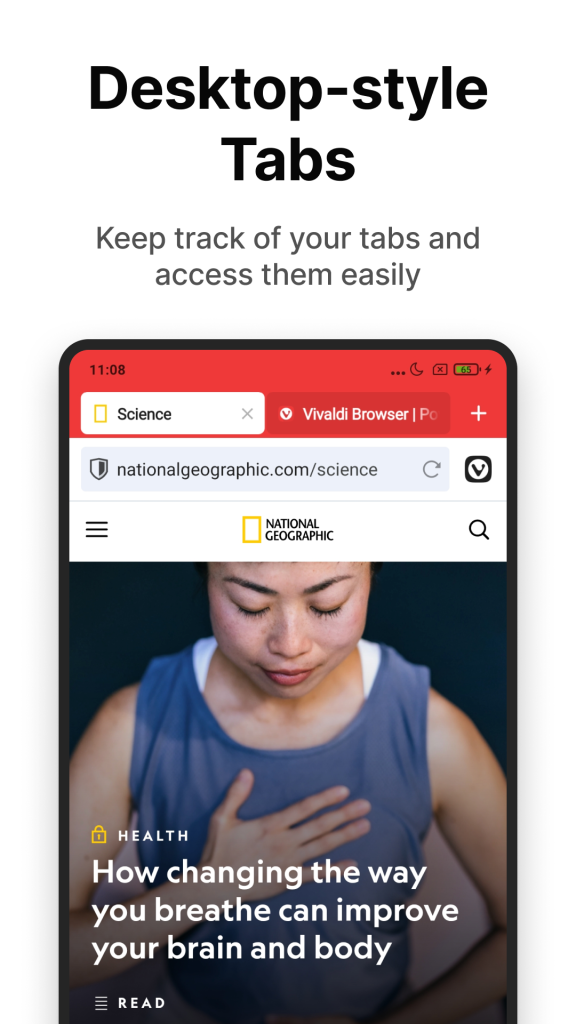
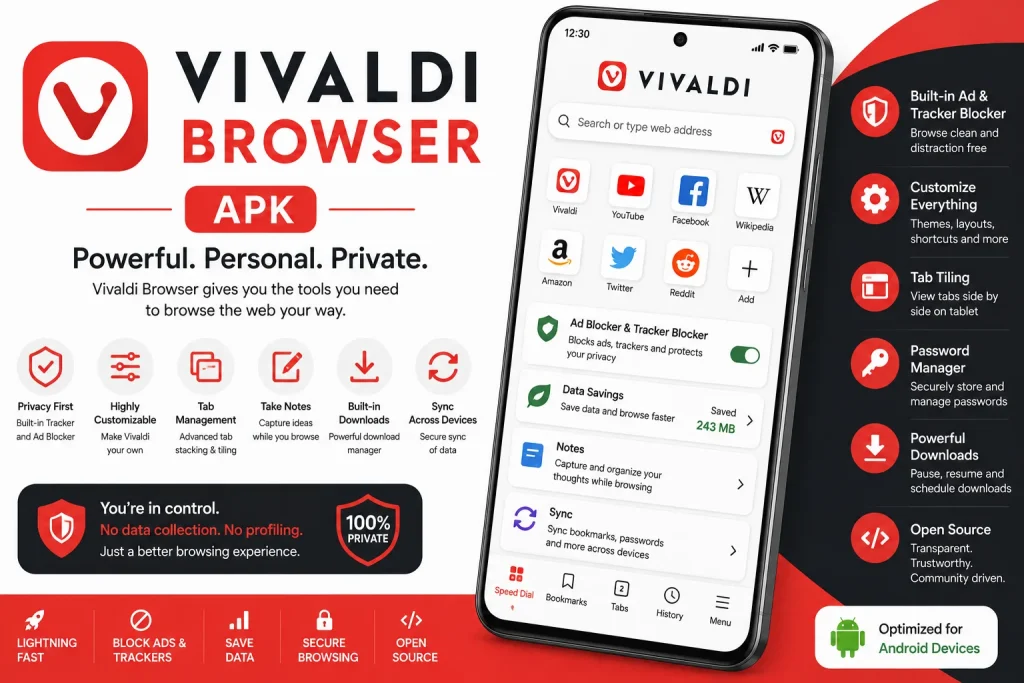
Vivaldi Browser APK carries over its desktop identity with a flexible Tab Bar that supports a tab switcher or a traditional bar layout. Two-level tab stacks let users group related pages together and move between clusters quickly. On tablets and larger screens, this layout closely resembles the desktop browsing experience.
Privacy and Blocking Tools
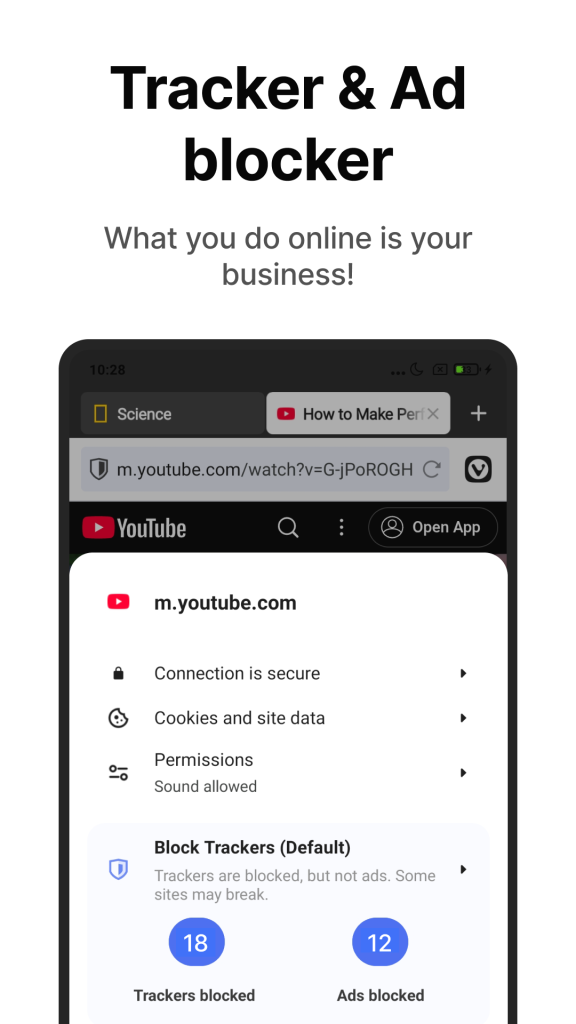
A built-in ad blocker and tracker blocker come active without requiring third-party extensions. Private Tabs remove history, cookies, and temporary files from the device once a session ends. WebRTC leak protection and cookie banner blocking add further layers against unwanted data exposure.
Speed Dial and Bookmarks
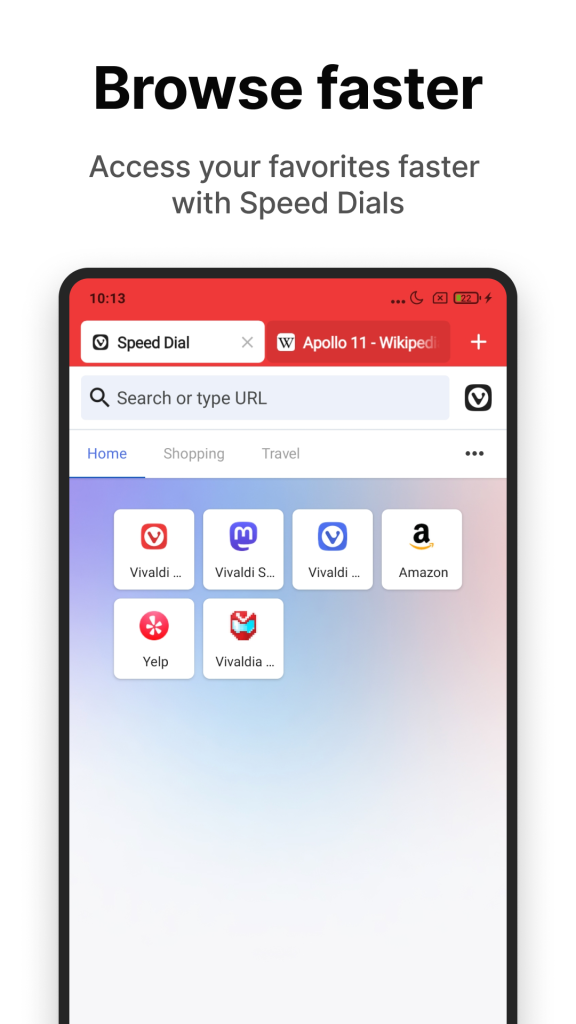
The Start Page holds Speed Dial shortcuts that users organize into folders and layouts based on personal habits or site categories. Favorite pages stay one tap away instead of buried inside a bookmarks menu. Editing and reordering these shortcuts takes only a few taps.
Sync and Notes
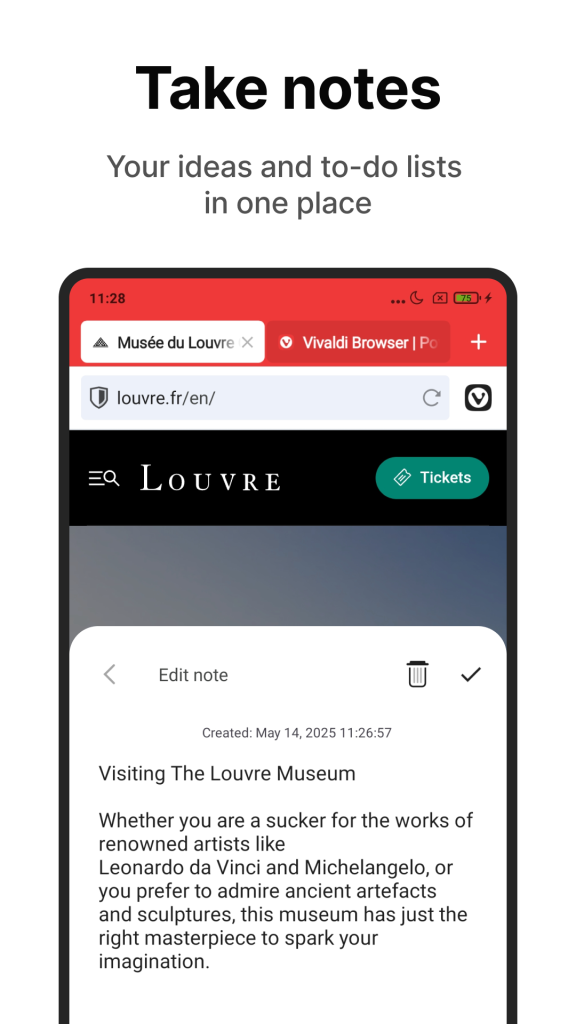
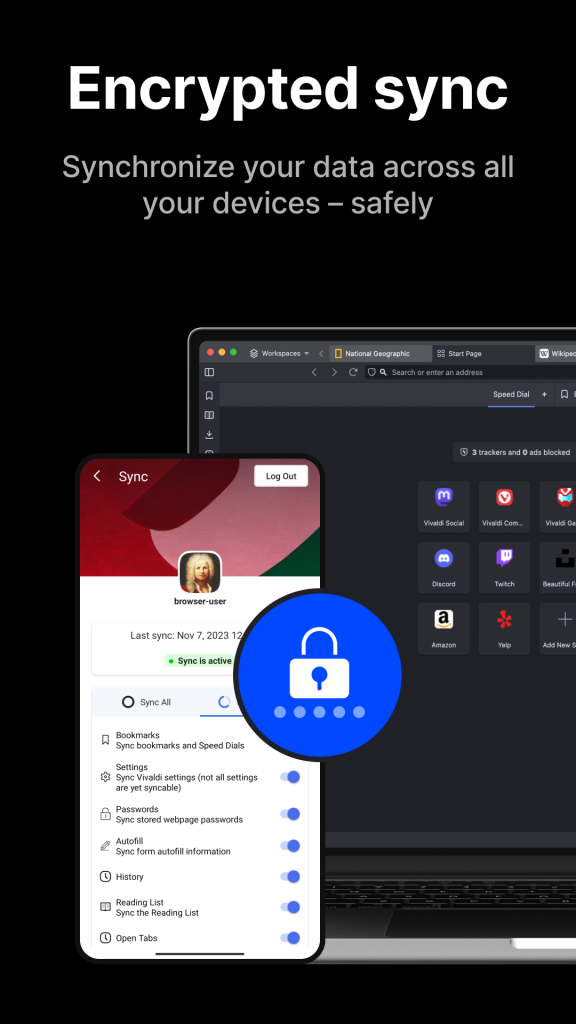
Encrypted Sync keeps tabs, bookmarks, and saved logins aligned across every device running Vivaldi. A built-in Notes tool with rich text support lets users capture thoughts without switching to a separate app. Both features work across desktop, Android, and iOS builds under the same account.
Extra Tools
Page Capture saves entire web pages as image files for later reference. A QR Code Scanner, private page translator, and Reader View round out the toolkit for everyday browsing tasks. Search Engine Nicknames let users jump between search providers by typing a short letter code before a query.
App Requirements
| Requirement | Detail |
|---|---|
| Operating System | Android 10 or higher |
| Storage Space | At least 350 MB free recommended |
| RAM | 2 GB minimum, 4 GB recommended |
| Internet Connection | Required for sync, updates, and browsing |
| Permissions | Storage, network access, camera (for QR scanner) |
| Architecture Support | ARM 32-bit, ARM 64-bit, Intel 64-bit |
Latest Version Overview
The most recent stable Android build sits in the 8.1x version range, with Vivaldi Technologies pushing frequent updates throughout 2026. Recent changelogs mention custom app icon options, interface refinements, and an underlying Chromium engine upgrade for better site compatibility. Update frequency for Vivaldi tends to run every few weeks, which keeps security patches current.
Each release typically closes bug reports tied to keyboard behavior, tab rendering, and minor UI inconsistencies. Vivaldi also maintains a snapshot channel for users who want early access to features before they reach the stable build. Snapshot builds carry more risk of instability and suit testers rather than everyday users.
Download and Install Steps
Info Box: Installation from outside the Play Store requires enabling a device setting that allows apps from unknown sources. This setting varies by Android version and device manufacturer.
- Open device Settings and locate Security or Apps permissions.
- Enable the option that allows installation from unknown sources or the specific browser used to download the file.
- Download the Vivaldi Browser APK file from a trusted source.
- Open the downloaded file from the notification bar or file manager.
- Tap Install and wait for the process to complete.
- Open the app and grant requested permissions on first launch.
- Sign in with a Vivaldi account or continue as a guest to start browsing.
Platform Variants
| Platform | Availability | Notes |
|---|---|---|
| Android (APK) | Direct download | Sideloaded install, works without Play Store |
| Android (Play Store) | Official listing | Auto-updates, verified by Google Play Protect |
| iPhone / iPadOS | App Store | Requires iOS 17 or later |
| Windows / macOS / Linux | Official site | Full desktop feature parity |
| Web | Not applicable | Vivaldi has no browser-based web version |
| Android Automotive | Polestar vehicles | First browser built for this platform |
Why Users Choose It
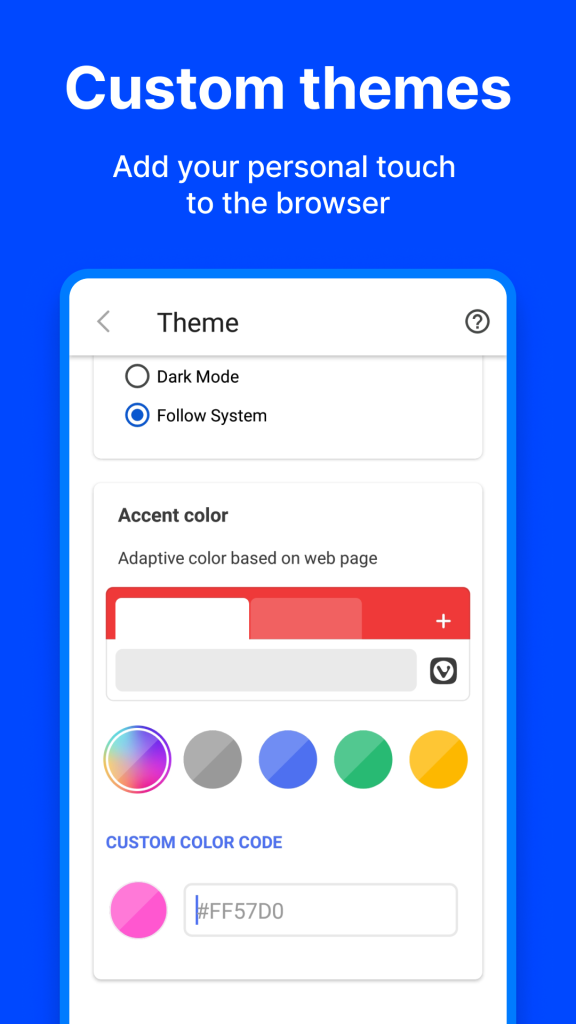
Vivaldi Browser APK appeals most to users who find mainstream browsers too limited in customization. The layout, color scheme, and even corner rounding of interface elements can be adjusted to personal taste. Heavy tab users in particular value the two-level stacking system, which few competing browsers replicate.
Privacy-conscious users choose Vivaldi because tracking protection and ad blocking come built in in rather than bolted on through extensions. The company positions itself as funded by optional commerce partnerships instead of user data sales. This model attracts people who specifically avoid browsers tied to large advertising businesses.
User Feedback
Public reviews across app listing sites describe Vivaldi as strong on customization and privacy controls, with several users praising the browsing experience compared against default phone browsers. Ease of use and performance receive frequent mentions among positive comments. A smaller group of reviews raises concerns about RAM usage and the learning curve tied to so many configurable options.
Info Box: Average user ratings across major download platforms typically fall between 4.5 and 4.8 out of 5, based on aggregated review data from app listing sites as of mid-2026.
Who Should Use It
Vivaldi suits power users who manage many open tabs and want visual control over their workspace. It also fits privacy-focused users who prefer built-in blocking tools over third-party extensions. Casual users who only need a simple, single-purpose browser may find the range of settings unnecessary for daily needs.
Is It Safe
Vivaldi Browser APK itself carries a solid safety reputation, built by an established company with a long release history dating back over a decade. The core risk with any APK install comes from the download source rather than the app itself. Files pulled from unverified third-party sites can be modified before the file reaches the user.
To confirm authenticity, check the package name (com.vivaldi.browser), compare the file size against the official range, and prefer sources that publish SHA-256 checksums for verification.
Pros and Cons
| Pros | Cons |
|---|---|
| Deep interface customization | Learning curve for new users |
| Strong built-in privacy tools | Higher RAM usage than lightweight browsers |
| Free with no paid tier confusion | No standalone web version |
| Cross-device encrypted sync | Sideloaded APKs carry source-verification risk |
| Frequent update cycle | Smaller extension library than Chrome |
How to Use (First Setup)
New users should start by opening the Start Page and adding a handful of Speed Dial shortcuts for frequently visited sites. Next, visiting the Privacy settings menu allows adjustment of tracker blocking and ad blocking intensity to match personal preference. Finally, signing into a Vivaldi account activates encrypted sync so bookmarks and passwords carry over from any other device already using the browser.
Update Guide
Users who installed through the Play Store receive updates automatically unless auto-update is disabled in store settings. Sideloaded APK users must manually check the source site or the in-app about page for new version numbers. Downloading and installing a new APK file over an existing install typically preserves user data, though a backup beforehand adds extra safety.
Old Versions
| Version | Release Period | Notes |
|---|---|---|
| 7.9.x | Early-mid 2026 | Stable branch, Chromium base update |
| 7.10.x | Preview branch, early 2026 | Early access features |
| 8.0.x | Mid 2026 | UI refinements |
| 8.1.x | Mid-late 2026 | Custom icons, current stable branch |
Vivaldi APK vs Official Play Store Version
| Factor | APK Download | Play Store Version |
|---|---|---|
| Update Method | Manual | Automatic |
| Source Verification | User must confirm | Verified by Google Play Protect |
| Availability | Works without Google services | Requires Play Store access |
| Version Control | Can install specific older builds | Limited to store-approved version |
| Setup Complexity | Requires enabling unknown sources | Standard one-tap install |
Alternatives
Users considering options beyond Vivaldi often compare it against Firefox for its extension support, Brave for its aggressive built-in blocking, and Opera for a similar customization-first approach. Each alternative carries a different balance between privacy defaults, extension availability, and interface flexibility. Choosing among them typically comes down to whether tab management or extension depth matters more to the individual user.
Permissions Explained
| Permission | Purpose |
|---|---|
| Storage | Saves downloads, captures, and cached data |
| Network Access | Loads web pages and syncs account data |
| Camera | Powers the built-in QR code scanner |
| Notifications | Alerts for downloads and sync status |
| Location (optional) | Supports location-aware site requests when granted |
Backup Best Practices
Before installing an update or switching devices, users should confirm bookmarks and passwords sync through an active Vivaldi account rather than relying on local storage alone. Exporting bookmarks manually through the browser’s settings menu adds a second layer of protection against sync failures. Keeping a copy of the previous APK file also allows a quick rollback if a new version introduces problems.
Frequently Asked Questions
Yes, the browser is completely free with no hidden paid tier.
No, both share the same core code; the difference lies only in the update and distribution method.
Yes, Vivaldi runs on iOS 17 and later through the official App Store.
Yes, the browser functions fully with a Vivaldi account or as a guest, independent of Google services.
Its extensive customization and tab management features run additional background processes compared to lightweight browsers.
No, this label appears only on third-party listings and does not represent an official product line.
New builds typically arrive every few weeks, covering both features and security patches.
Yes, devices supporting Android apps can generally run the Vivaldi APK, though performance varies by hardware.
Final Verdict
Vivaldi Browser APK delivers the same privacy-first, highly customizable browsing experience as its desktop version, adapted for Android without sacrificing core features. It fits power users and privacy-focused browsers best, while casual users may find the depth of settings excessive for basic needs. Sideloading remains safe when the file comes from a verified source, and the package details match the official app, making Vivaldi a strong pick for anyone seeking more control over their mobile browser.