Kiwi Browser APK Latest Version
★★★★☆ 4.2 · (46.8K Reviews)
98.14
111 MB
5M+
OS 5+
100% Secured & Verified APK Files
App Preview
Screenshots:

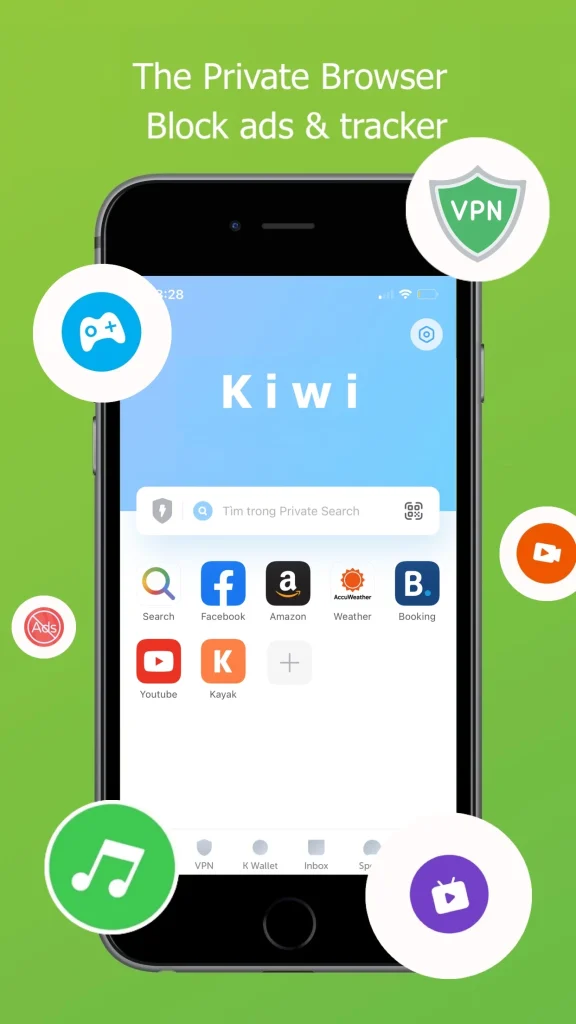
Kiwi Browser APK Download – Latest Version 2026
Kiwi Browser built its reputation as the browser that brought genuine Chrome Web Store extensions to Android, letting users run tools like uBlock Origin and Tampermonkey directly on a phone. However, the project was officially discontinued in early 2025 and no longer receives updates from its original developer. This guide covers everything about the Kiwi Browser APK, including features, installation, safety, and its current discontinued status.
Info Box: Quick Facts
| Detail | Information |
|---|---|
| App Name | Kiwi Browser – Fast & Quiet |
| Latest Version | Final build, frozen since early 2025 |
| Size | Approximately 90 MB |
| Platform | Android 5.0 and above |
| Developer | Geometry OU (Arnaud Granal), discontinued |
| Engine | Blink, Chromium-based |
| Availability | GitHub only, removed from Google Play Store |
What Is Kiwi Browser?
Kiwi Browser APKis a Chromium-based Android browser originally developed by Arnaud Granal through Geometry OU, an Estonian software company. It became known specifically for supporting genuine Chrome Web Store extensions on mobile, a feature almost no other Android browser offered cleanly at the time. Because it shared Chromium’s underlying engine, most extensions built for desktop Chrome installed and ran on Kiwi without modification.
The project was officially archived in January 2025, when Granal announced on Discord and GitHub that Kiwi Browser would no longer be maintained. Google subsequently removed the app from the Play Store, leaving GitHub as the only source for the final published build. The developer’s stated reason centered on the growing difficulty of managing an increasingly large user base without adequate time or resources to sustain regular updates.
Despite discontinuation, Kiwi Browser remains functional for many users and continues to be downloaded from GitHub regularly. The extension code that made Kiwi distinctive has since been integrated into Microsoft Edge Canary, offering a path forward for users who relied specifically on that capability. As a result, anyone considering Kiwi Browser in 2026 should weigh its useful features against the real risks of running permanently unmaintained software.
Key Features of Kiwi Browser
Kiwi Browser packs a distinct set of tools built around extension support and customization. The list below covers the features most users historically relied on, all of which remain present in the final frozen build.
Chrome Web Store Extension Support
Kiwi Browser APK signature feature lets users install extensions directly from the Chrome Web Store, as CRX files, or as unzipped folders for developer testing. This is accessed by enabling Developer Mode under the Extensions menu and browsing the Web Store as normal. Because Kiwi is now frozen, most extensions relying on the older Manifest V2 format still work, though Google continues phasing out that format across the wider Chromium ecosystem.
Bottom-Positioned Toolbar
A toggle under Settings and Accessibility moves the URL bar and tab controls to the bottom of the screen. On larger phones, this shift makes one-handed browsing meaningfully more comfortable than the standard top-positioned layout. This customization option remains one of Kiwi’s more practical everyday conveniences.
True Dark Mode
Kiwi applies dark mode across every webpage rather than just the browser’s own interface, with adjustable contrast levels. At full contrast on AMOLED displays, black pixels switch off entirely, providing genuine power savings rather than a simulated dark theme. This distinguishes it from browsers where dark mode only affects menus and settings screens.
Built-In Ad Blocker
Kiwi includes a native ad blocker that removes intrusive banners and pop-ups without requiring a separate extension. Combined with Chrome Web Store extension support, users could historically layer additional blocking tools like uBlock Origin on top for even stronger protection. This made Kiwi a popular choice among users prioritizing a clean, ad-free browsing experience.
Reduced Telemetry
Kiwi Browser APK was built with less background data collection compared with several mainstream Chromium-based browsers. This privacy-conscious design appealed to users wary of telemetry embedded in more heavily commercialized browsers. Since development has ended, however, no further privacy improvements or audits are expected.
Background Script Protection
The browser includes tools aimed at blocking intrusive background scripts and unwanted redirects. This worked alongside the ad blocker to reduce disruptive pop-ups and forced page redirects common on certain sites. These protections remain functional in the final build but will not receive updates addressing newly emerging threats.
Clean, Minimal Interface
Kiwi’s interface avoided excessive menus or built-in advertising, keeping the browsing experience straightforward. This simplicity appealed to users who found other Chromium-based browsers cluttered with extra features they rarely used. The interface remains unchanged in the frozen final version.
App Requirements Before Installation
A few basic checks help the installation go smoothly. Review the table below before starting the download.
| Requirement | Details |
|---|---|
| Android Version | Android 5.0 or higher |
| Free Storage | At least 120 MB recommended |
| Internet | Stable Wi-Fi or mobile data |
| RAM | 1.5 GB minimum for smooth performance |
| Source | GitHub only, not available on Google Play Store |
Info Box: Before You Install, confirm the phone has enough battery to avoid interruption during setup. Close other heavy apps to free up memory during installation. Since Kiwi Browser is no longer available through the Play Store, only download it directly from the official GitHub repository to avoid modified or unsafe copies.
Kiwi Browser’s Discontinued Status Explained
Understanding Kiwi Browser’s current status matters more than usual before installing it, since the browser will not receive further updates. The table below summarizes the key facts.
| Detail | Status |
|---|---|
| Active Development | Ended in January 2025 |
| Play Store Availability | Removed, no longer listed |
| Security Updates | None expected going forward |
| Extension Format | Frozen on older Manifest V2 support |
| Download Source | GitHub repository only |
Because Chromium itself continues moving forward, a permanently frozen browser will gradually fall behind on both security patches and web standard compatibility. Extensions relying on Manifest V2 currently still function, but Google’s broader phase-out of that format means Kiwi’s extension support will likely degrade over time without any update to address it. Users should treat this discontinuation as a genuine, ongoing risk factor rather than a minor technical footnote.
How to Download and Install Kiwi Browser APK
Follow these steps in order to avoid installation errors.
- Enable Unknown Sources – Open phone Settings, go to Security, and allow installation from unknown sources, since installation now requires sideloading.
- Download the APK – Get the final Kiwi Browser APK file directly from the official GitHub repository, avoiding any other source.
- Open the File – Locate the APK in the Downloads folder and tap it to begin installation.
- Grant Permissions – Allow access to storage and network permissions when prompted during setup.
- Enable Developer Mode – Turn on Developer Mode under the Extensions menu if Chrome Web Store extension support is desired.
Info Box: Common Install Errors “App Not Installed” usually means an older version conflicts with the new file. Uninstalling the previous version, though it risks losing locally saved bookmarks or installed extensions without backup, often resolves this. Since Kiwi is no longer distributed through the Play Store, always confirm the GitHub source directly rather than trusting a third-party mirror site.
Why Users Historically Chose Kiwi Browser
Kiwi Browser APK biggest historical draw was genuine Chrome Web Store extension support, a feature almost no competing Android browser matched cleanly. Because tools like uBlock Origin and Tampermonkey ran directly on the phone, users gained desktop-level customization in a mobile browsing environment. This capability alone explains why Kiwi maintained a loyal following even without heavy marketing or brand recognition.
Interface customization also played a meaningful role in its appeal. In addition to extension support, the bottom-positioned toolbar and true dark mode addressed practical everyday usability concerns that many mainstream browsers overlooked. For users on larger phones or those browsing frequently at night, these details carried real, tangible value.
Privacy-conscious design rounded out the remaining draw for many users. Reduced telemetry compared with more heavily commercialized browsers appealed to users wary of background data collection. As a result, Kiwi built a dedicated niche audience specifically around customization and extension depth rather than competing on mainstream brand trust.
Kiwi Browser Pros and Cons
| Pros | Cons |
|---|---|
| Genuine Chrome Web Store extension support | Officially discontinued since January 2025 |
| True dark mode with real power savings on AMOLED | No future security updates expected |
| Customizable bottom toolbar for one-handed use | Removed from the Google Play Store entirely |
| Built-in ad blocker and background script protection | Extension support frozen on aging Manifest V2 format |
| Reduced telemetry compared with mainstream browsers | Long-term compatibility with new web standards uncertain |
| Clean, minimal interface | No official support channel for troubleshooting |
How to Use Kiwi Browser After Installation
Getting started takes only a few minutes once the app is installed.
- Open Kiwi Browser and review the interface layout, adjusting toolbar position if desired.
- Enable Developer Mode under the Extensions menu to access Chrome Web Store extensions.
- Install any needed extensions, keeping in mind that only Manifest V2 tools remain reliable.
- Turn on dark mode under Settings and adjust contrast for AMOLED displays if applicable.
- Configure the built-in ad blocker and background script protection based on personal preference.
If an extension fails to install or function correctly, this often traces back to the aging Manifest V2 format no longer being fully supported across the broader web. Since no further updates are coming, some compatibility issues may not have a fix. A restart sometimes resolves temporary glitches, but persistent issues tied to outdated code should be expected to worsen over time rather than improve.
Should You Still Use Kiwi Browser in 2026?
Given the discontinued status, this question deserves direct consideration before installing the app. The frozen final build still functions and retains its distinctive extension support, dark mode, and privacy-conscious design. For users specifically drawn to running desktop-style extensions on Android, no other mainstream browser currently replicates that experience as cleanly.
However, running permanently unmaintained software carries real security risk that grows over time rather than staying static. Missing security patches mean any newly discovered vulnerability in the underlying Chromium code will remain unaddressed indefinitely. Users handling sensitive information, banking, or accounts with valuable personal data should weigh this risk seriously before making Kiwi a daily browser.
For most users, Kiwi Browser in 2026 is better suited to short-term or non-sensitive browsing tasks rather than long-term daily use. The developer himself recommended alternatives including Microsoft Edge Canary, Vivaldi, Brave, or Firefox for users seeking continued security and updates. Anyone specifically needing extension support going forward should strongly consider migrating to one of these actively maintained options.
Kiwi Browser Old Versions
Because Kiwi Browser APK is discontinued, there is effectively only one final version rather than an ongoing release history. The table below lists the last known stable builds available through GitHub.
| Version | Highlights | Best For |
|---|---|---|
| Final GitHub build | Complete extension support, frozen feature set | Users wanting the last functional release |
| Earlier archived builds | Slightly older, occasionally more stable on some devices | Users experiencing issues with the final build |
Since no new versions are being released, switching between builds mainly matters for troubleshooting device-specific stability issues rather than accessing new features. Downloading strictly from the official GitHub repository remains essential regardless of which build is chosen. No further updates should be expected for either option going forward.
Kiwi Browser vs Other Chromium-Based Browsers
| Feature | Kiwi Browser | Microsoft Edge | Brave Browser |
|---|---|---|---|
| Development Status | Discontinued since 2025 | Actively developed | Actively developed |
| Extension Support | Full Chrome Web Store, frozen | Desktop only | Limited on mobile |
| Security Updates | None | Regular | Regular |
| Dark Mode | True dark mode, all sites | Standard | Standard |
| Play Store Availability | Removed | Available | Available |
| Built-In AI Assistant | No | Yes, Copilot | Yes, Leo |
Kiwi Browser Alternatives
Given the discontinued status, users are strongly encouraged to consider actively maintained alternatives.
- Microsoft Edge – Inherited Kiwi’s extension code into its Canary channel, with active ongoing development.
- Brave Browser – Offers strong privacy protection and some extension support with regular updates.
- Mozilla Firefox – Provides genuine, actively maintained extension support on Android.
- Vivaldi – Delivers deep customization options with continued active development.
Each alternative shares some overlap with what made Kiwi distinctive while offering the ongoing security updates Kiwi can no longer provide. The right choice generally depends on whether extension depth, privacy focus, or interface customization matters most to the user going forward.
Who Should Consider Kiwi Browser?
Kiwi Browser may still suit users who understand and accept the risks of unmaintained software, specifically for short-term or low-sensitivity browsing tasks. It could appeal to developers testing extensions locally or users curious about its interface before migrating to an actively maintained alternative. Anyone drawn purely to its dark mode or toolbar customization might also find temporary value here.
That said, Kiwi Browser APK is not a responsible long-term choice for most users in 2026. Anyone handling sensitive logins, banking, or personal data should avoid relying on a browser that will never receive another security patch. Users specifically needing Chrome extension support on Android are better served exploring Microsoft Edge Canary or a similarly maintained alternative instead.
Frequently Asked Questions
Yes, the final build remains downloadable directly from the official GitHub repository. It is no longer available through the Google Play Store.
The developer, Arnaud Granal, announced in January 2025 that managing the browser’s growing user base had become unsustainable given his available time and resources. The project was archived, and the app was removed from the Play Store shortly after.
It remains functional but carries growing security risk, since it will not receive future patches for newly discovered vulnerabilities. Users handling sensitive data should strongly consider an actively maintained alternative instead.
No, official development has ended permanently, and no further updates are planned. The extension code has instead been integrated into Microsoft Edge Canary.
Yes, extensions relying on the older Manifest V2 format generally still function in the frozen final build. However, Google’s ongoing phase-out of that format across Chromium means compatibility will likely degrade over time.
The official GitHub repository is the only recommended source for the final build. Third-party mirror sites should be avoided, since they may distribute modified or unsafe files.
The extension code that made Kiwi distinctive has been integrated into Microsoft Edge Canary, the beta channel of Microsoft’s browser. This offers a path forward for users who relied specifically on that capability.
Microsoft Edge, Brave Browser, Mozilla Firefox, and Vivaldi are commonly recommended alternatives, all of which receive active development and security updates. The right choice depends on whether extension support, privacy, or customization matters most.
Yes, the built-in ad blocker and background script protection remain functional in the frozen final build. These tools will not receive updates addressing newer tracking or ad-serving techniques, however.
Given the lack of ongoing security updates, migrating to an actively maintained browser is generally the safer long-term choice. This is especially true for anyone using Kiwi for sensitive tasks like banking or account logins.
Final Verdict
Kiwi Browser APK earned a genuinely loyal following through its unmatched Chrome Web Store extension support, true dark mode, and privacy-conscious design, but its official discontinuation since January 2025 changes the calculation for anyone considering it in 2026. The final frozen build still works and retains its distinctive features, though it will never receive another security update or compatibility fix. Users drawn specifically to its extension capabilities should know that this same technology now lives on within Microsoft Edge Canary.
For short-term or low-sensitivity browsing, Kiwi’s final build may still hold some appeal for users who understand the risks involved. For anyone seeking a genuinely reliable daily browser with continued extension support and active security updates, Microsoft Edge, Brave, or Firefox represent safer and more sustainable choices. Downloading strictly from the official GitHub repository and going in with clear awareness of its discontinued status is essential for anyone still choosing to install it.