
VKontakte Latest Version
★★★★☆ 4.2 · (9.26M Reviews)
8.188.1
197 MB
100M+
OS 9.0+
100% Secured & Verified APK Files
App Preview


What Is VK APK and How Does the VK App Work?
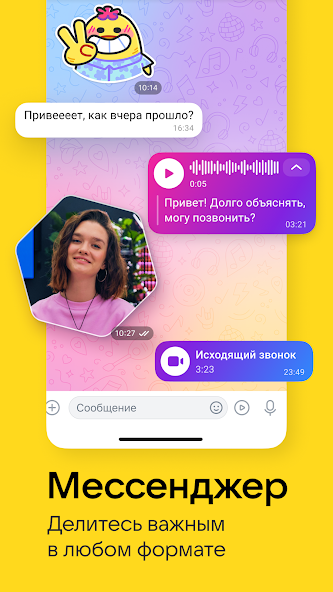
VK APK is the Android installation file for VK, a social platform that combines messaging, entertainment, communities, and media content in one app. Users can chat with friends, join communities, watch videos, listen to music, share photos, and explore personalized content. The latest VK app also includes features such as VK Clips, video calls, podcasts, games, and other services.
The VK APK is useful for Android users who want to install a particular app version manually. After installation, users can sign in to their VK account and access the available social and entertainment features. The exact features and content can vary based on the app version, account, region, and device.
VK APK Features and Main Highlights
VK APK offers more than basic social networking because it combines messaging, music, videos, communities, and entertainment. The app is designed to keep communication and media content in one place. This makes VK a useful option for people who want several social features without switching between different apps.

Social Networking and Community Features
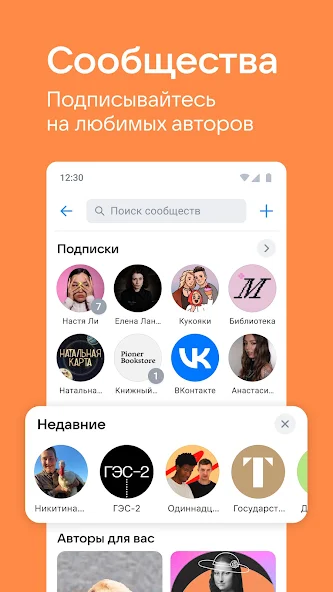
VK allows users to create profiles, connect with friends, follow pages, and join online communities. Communities can focus on entertainment, hobbies, news, artists, games, or other interests. You can also interact with posts through comments, reactions, and shares.
Private Messaging and Instant Chats
The built-in messenger supports private chats and group conversations with friends and contacts. Users can send messages and share different types of media through conversations. VK also supports video calls, which gives users another way to communicate with friends and communities.
Music Streaming and Audio Discovery
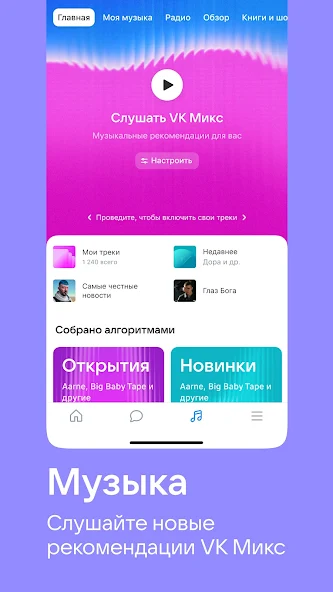
VK includes a music section where users can search for songs and discover new tracks. Personalized recommendations can suggest music based on listening activity and preferences. Users can also find playlists and follow music that matches their interests, although availability may differ by region.
Videos, VK Clips, and Entertainment Content
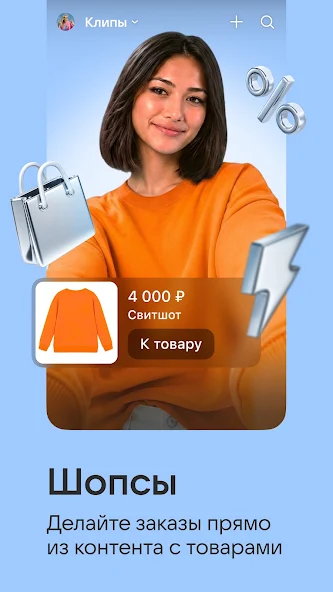
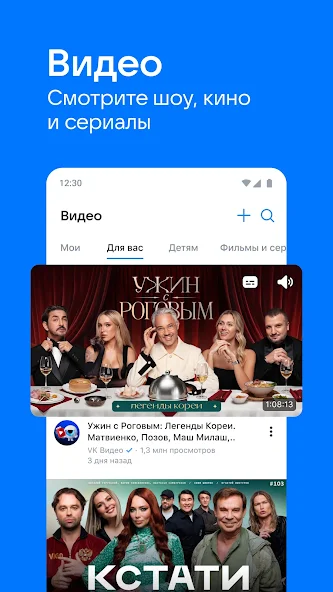
The VK video section includes longer videos, live content, and short vertical clips. VK Clips provides a feed of short videos that users can browse and interact with. The app also lets creators publish their own clips and reach people through the platform.
Groups, Pages, and Online Communities
Communities are an important part of the VK experience because they bring people together around common interests. Users can follow public pages, join groups, and receive updates from the communities they like. These spaces can contain posts, photos, videos, discussions, and other types of content.
Photo Sharing and Media Uploads
VK lets users share photos and other media through posts, profiles, chats, and communities. You can also organize pictures and share them with friends or followers. This makes the VK Android app useful for both personal updates and community-based content.
Personalized Content and News Feed
The VK feed helps users discover posts from friends, pages, and communities they follow. Recommendations can also introduce new content based on user activity and interests. This gives the main feed a more personalized experience instead of showing the same content to everyone.
Marusya Voice Assistant and Smart Features
VK is connected with Marusya, a voice assistant that can work with supported VK services and commands. Its availability and functions may differ depending on the device, account, language, and region. Users should check the features available on their particular version of the app.
Privacy, Security, and Account Controls
VK includes settings for managing account information, privacy, notifications, and social interactions. Users can review these options to decide how they want to use their account. Checking the privacy settings after installation is a useful step before sharing personal information.
What’s New in the Latest VK APK Version?
The latest VK releases focus on performance improvements, technical fixes, and smoother app operation. Recent updates have also continued to improve the overall experience across messaging, media, and social features. The current Android listing shows VK version 8.192 with an update dated August 26, 2026.
New versions can change the layout, improve existing tools, or fix problems found in previous releases. Some features may also become available at different times depending on your region or account. Before installing an APK update, check the version number and Android requirements.
Why Should You Use VK APK on Android?
VK APK can be a good choice for users who want social networking and entertainment in one application. It combines chats, video calls, music, short videos, communities, photos, live content, and other services. This broad feature set makes the app more than a simple messaging platform.
Another benefit is the variety of content available through personalized feeds and communities. Users can follow their interests while keeping communication and entertainment inside the same account. Your experience may differ depending on location, available content, and the features supported on your device.
VK APK App Specifications and Technical Details
Before installing an APK, it is useful to check its basic technical information. Current listings show the package as com.vkontakte.android, while recent versions require Android 9.0 or newer. File size can change between releases, so always check the exact version before downloading.
| Specification | Details |
|---|---|
| App Name | VK |
| Package Name | com.vkontakte.android |
| Platform | Android |
| Category | Social |
| Latest Version | 8.192 |
| Minimum Android | Android 9.0+ |
| Main Features | Chat, Music, Video, Communities |
| File Format | APK |
| Internet | Required for online features |
The exact APK size can also change with each release. One recent listing reports version 8.192 at around 176 MB, while another recent APK listing reports a different version and size. For this reason, check the specific release rather than relying on an old file size.
VK APK System Requirements for Android Devices
VK currently requires a relatively modern Android device, with recent APK listings specifying Android 9.0 or newer. A phone with sufficient RAM and free storage is recommended because music, video, clips, and other media features can use more resources. A stable internet connection is also important for most VK services.
| Requirement | Recommended |
|---|---|
| Android Version | Android 9.0 or newer |
| RAM | 3 GB or more |
| Storage | 500 MB or more free |
| Processor | Quad-core or better |
| Internet | Stable Wi-Fi or mobile data |
| Account | VK account for most features |
These requirements are general recommendations and may change with future releases. Older phones may still experience slower performance even when they meet the minimum Android version. Keeping enough free storage can also help prevent installation and update errors.
How to Download and Install VK APK on Android
Downloading VK APK for Android requires a compatible file and enough storage on your phone. Before opening the file, check its version, Android requirement, package information, and source. Avoid suspicious files that request unusual permissions or make unrealistic claims.
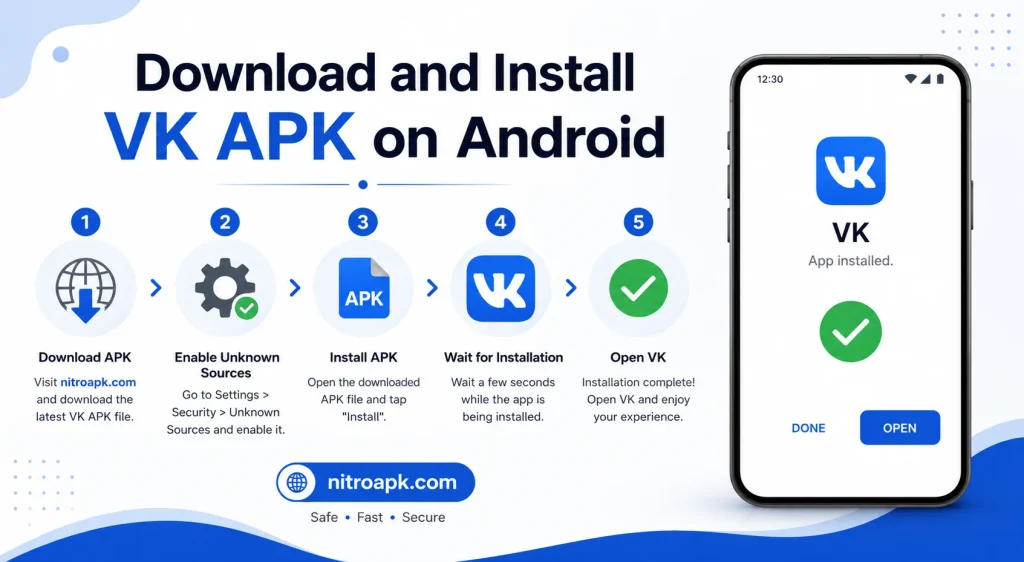
Steps to Install VK APK
If the installation fails, check your Android version and available storage first. A damaged or incomplete APK can also cause an installation error. In that situation, remove the problematic file and use a complete compatible version.
How to Update VK APK to the Latest Version?
Updating VK APK can provide newer features, bug fixes, and performance improvements. Recent VK releases have included technical improvements designed to make the application more stable. Keeping the app updated can also improve compatibility with newer Android versions.
To update manually, download a newer compatible APK and open it on your Android device. If the package is compatible with the existing installation, Android can replace the older version without requiring a fresh setup. Always check the version and source before installing an update.
How to Create and Set Up a VK Account?
A VK account gives you access to the main social features of the application. After opening VK, follow the account creation or login process shown on the screen. You may need to complete verification before you can use all account-based features.
Once your account is ready, you can add profile information and find friends or communities. Following topics that interest you can also help improve the content shown in your feed. Before posting, take a moment to review your privacy and account settings.
How to Use VK APK for Messaging, Music, and Videos?
VK keeps its main services inside one application, so you can switch between social content, chats, music, and videos. Open the messenger to communicate with friends or groups, then use the media sections to discover songs and videos. The available menus can change between versions, but the main services remain focused on communication and entertainment.
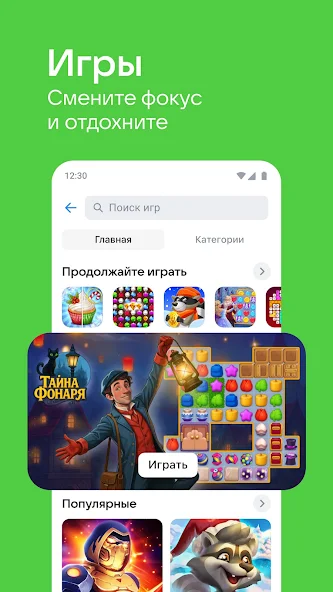
You can also follow communities and pages to receive new posts in your feed. VK Clips provides a separate experience for short vertical videos, while VK Music focuses on audio discovery and playlists. The app also supports live streams, podcasts, games, and other content areas.
VK APK Privacy and Security Is It Safe to Use?
The safety of an APK depends partly on the source of the file and whether it has been modified. A genuine APK from a reliable source is preferable to an unknown file that could contain unwanted changes. Users should also check permissions and keep Android security features enabled.
VK’s current app listing states that data is encrypted in transit and provides controls related to collected and shared data. The information collected can include different data types depending on usage, region, and age. Users can review the application’s data safety information and their own privacy settings before regular use.
VK APK Pros and Cons
VK has a broad collection of social and entertainment tools, but not every feature will suit every user. The combination of messaging, music, videos, communities, and clips is a major advantage. However, the app can also require significant storage and internet data because of its media-focused features.

Pros & Cons
Pros
- Messaging and group chats
- Music discovery and playlists
- VK Clips and video content
- Online communities
- Photo and media sharing
- Video calls
Cons
- Requires a compatible Android version
- Some content can vary by region
- Media features may use more data
- APK installation needs extra care
- Large updates can require more storage
- Some users may find the number of features overwhelming
VK APK vs Official VK App: What’s the Difference?
The term VK APK normally describes the Android package used to install VK manually. The official VK application is the same basic service, while the APK is the installation format that can be used outside a standard app-store installation. Therefore, the main difference is usually the installation method rather than the core VK features.
| Feature | VK APK | Official VK App |
|---|---|---|
| Android Support | Yes | Yes |
| Messaging | Yes | Yes |
| Music | Yes | Yes |
| Videos | Yes | Yes |
| VK Clips | Yes | Yes |
| Communities | Yes | Yes |
| Manual Installation | Yes | Optional |
| Manual Updates | Possible | Usually automatic |
| Internet Features | Yes | Yes |
Manual installation gives users more control over the version they install. However, it also means users need to pay more attention to file authenticity, compatibility, and updates. For users who prefer convenience, a standard installation method may be easier.
Common Problems and Solutions When Using VK APK
Some VK APK problems are caused by incompatible Android versions, insufficient storage, poor internet connections, or damaged installation files. Checking these basic areas can solve many common problems. If the issue remains, reinstalling a compatible version may help.
VK APK Installation Problems
An installation error can appear when the APK does not match your Android version or when there is not enough storage. Check that your phone supports Android 9.0 or newer and has sufficient free space. A damaged download can also cause installation failure.
VK APK Login and Account Issues
Login problems can result from incorrect account details, network issues, or verification requirements. Check your internet connection and enter your account information carefully. If you cannot access your account, use the available recovery or verification options.
VK APK Not Working or Crashing
Crashes can happen because of limited memory, outdated software, corrupted cache files, or compatibility problems. Restarting the device and checking for a newer VK version can help. You can also clear temporary app data if the problem continues.
VK APK Download and Update Problems
A failed download may happen because of an unstable connection or insufficient storage. Update problems can also occur when the new APK is incompatible with the existing installation. Check the file version, Android requirement, and available storage before trying again.
Tips for Using VK APK Safely on Android
Always check the APK version, Android requirement, and file source before installation. Avoid files that request unnecessary permissions or claim to provide features that do not normally belong to VK. Keeping Android and your security tools updated can also reduce common security risks.
It is also important to protect your VK account information. Never share passwords or verification codes with unknown people, and review account activity when something seems unusual. You can also adjust privacy and notification settings to make the app more comfortable to use.
Frequently Asked Questions
Final Verdict
VK APK is a feature-rich Android application that brings social networking, messaging, music, videos, communities, and short clips into one platform. Its wide range of tools makes it useful for people who want communication and entertainment in a single app. Recent versions also continue to receive technical improvements and feature updates.
If you want to install VK manually, focus on choosing a compatible and trustworthy APK version. Check your Android version, storage, file details, and privacy settings before you start using the app. For users looking for an all-in-one social platform, VK APK can be a worthwhile option, and nitroapk.com can provide additional app-focused information.