
Pandora APK Latest Version
★★★★☆ 4.3 · (12.1M Reviews)
2608.1
62.60 MB
1B+
OS 7+
100% Secured & Verified APK Files
App Preview
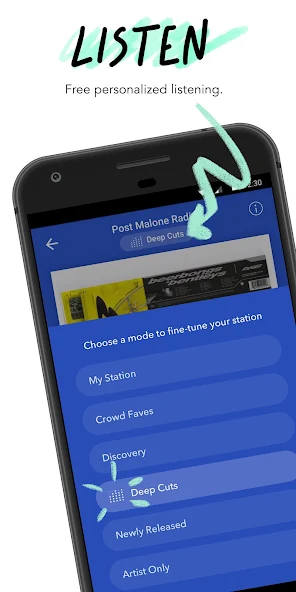
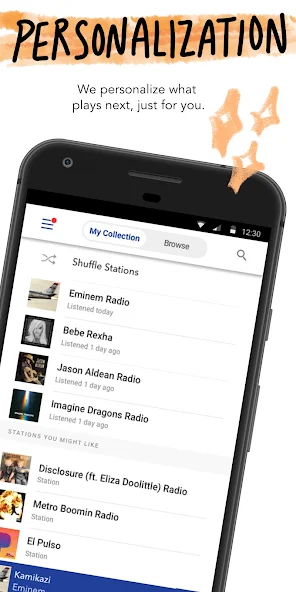
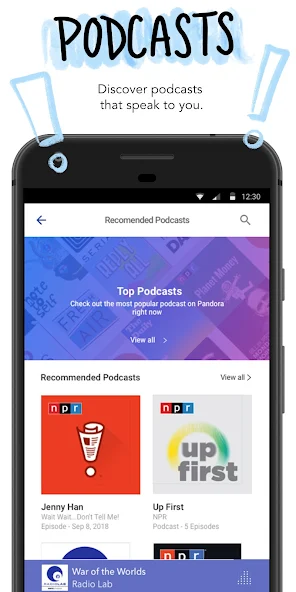
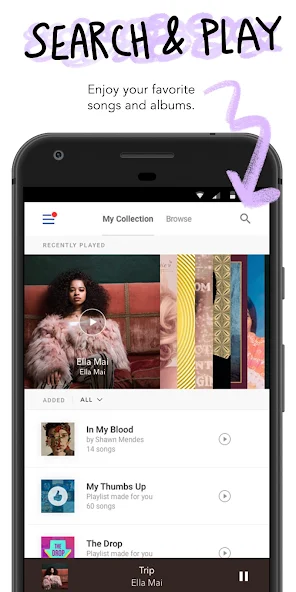

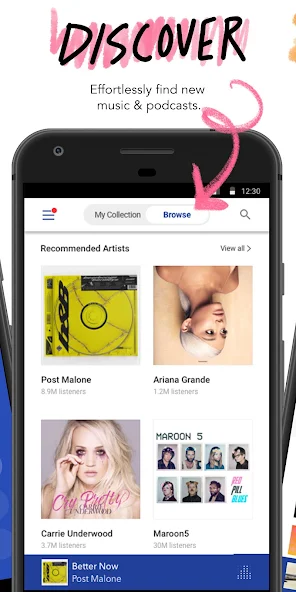
Pandora APK 2026 is the Android application package for Pandora, the legendary internet radio service that pioneered personalized music streaming back in 2000. While most modern music apps focus on letting users pick individual songs, Pandora took a different approach by building an intelligent Music Genome Project that creates custom radio stations based on the songs and artists you already love. With more than 60 million active users in the United States, Australia, and New Zealand, Pandora remains one of the most loved music services in the markets where it operates.
The Pandora APK provides Android users with the full Pandora experience directly on their phones and tablets. For users who cannot access the Google Play Store, prefer to install apps manually, or own a device that no longer receives official updates, downloading the APK from a trusted source like nitroapk.com is the easiest way to enjoy this iconic streaming service.
The Story Behind Pandora and the Music Genome Project
Pandora was founded by Tim Westergren, who wanted to build a smarter way to recommend music. Instead of relying on user behavior data alone, he and his team created the Music Genome Project, a handcrafted database where trained musicians analyze every song on more than 450 attributes. These attributes include melody, harmony, instrumentation, rhythm, vocals, and lyrics. When you create a station by entering a song or artist, Pandora uses this rich data to find tracks that share similar musical characteristics.
This approach is fundamentally different from the algorithms used by Spotify and other competitors, which rely heavily on collaborative filtering based on what other users listen to. The Music Genome Project often surfaces lesser-known songs that match the exact musical vibe of a favorite track, making Pandora an incredible tool for music discovery.
Key Features of Pandora APK
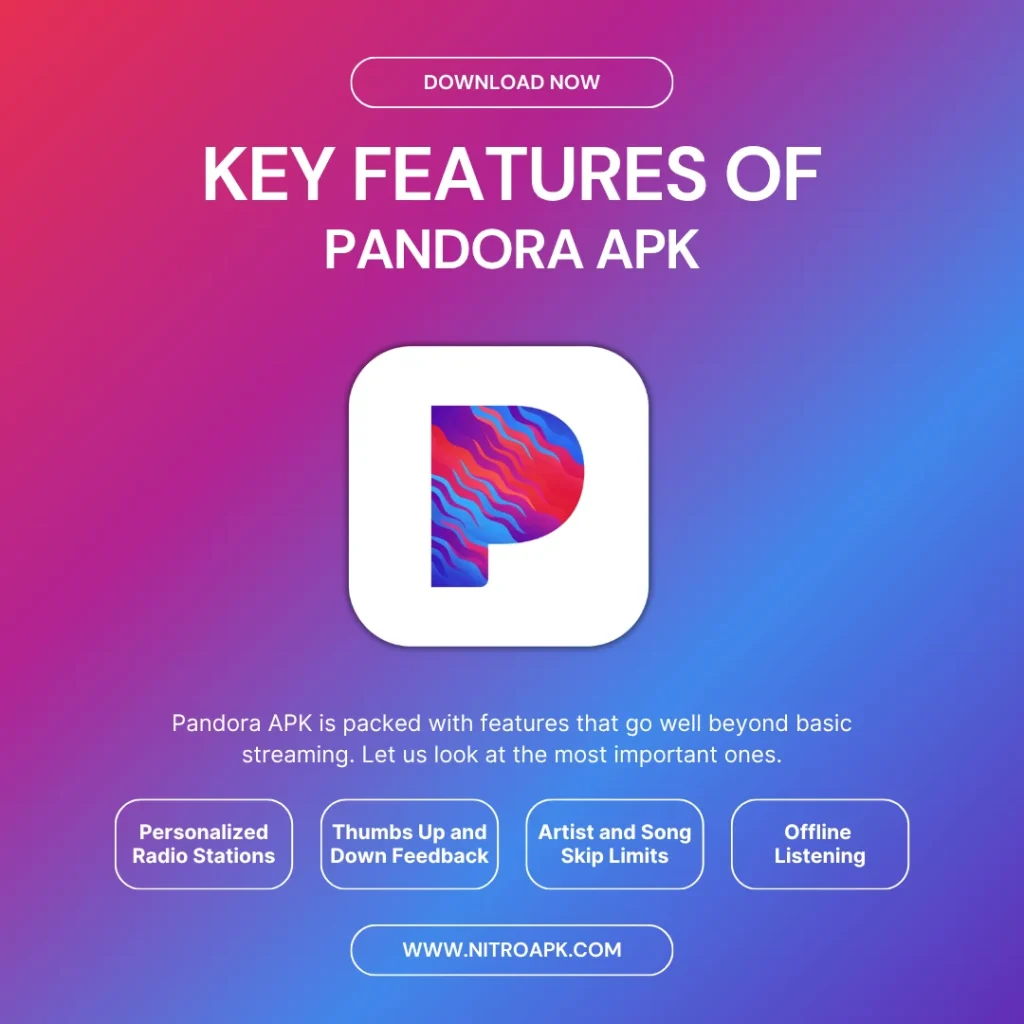
The latest version of Pandora APK includes a deep set of features tailored to music lovers who enjoy the radio format. Here is a detailed look at what makes this app so popular.
Personalized Radio Stations
Pandora APK lets you create radio stations based on songs, artists, or genres you enjoy. It then continuously plays similar music, creating a personalized listening experience without requiring manual playlist creation.
Thumbs Up and Down Feedback
You can rate songs with thumbs up or thumbs down to help Pandora understand your preferences. Positive ratings increase similar songs, while negative ratings reduce tracks you are less likely to enjoy.
Artist and Song Skip Limits
Pandora may limit the number of songs you can skip on its free and standard plans. Premium plans provide more freedom by removing or increasing these skip restrictions.
Pandora Modes
Pandora Modes let you change the type of music played by a station without changing its main theme. Options such as My Station, Discovery, and Deep Cuts help you switch between familiar favorites and new tracks.
Offline Listening
Premium and Plus subscribers can download selected music for offline playback. This makes it convenient to listen during flights, road trips, workouts, or other situations without a stable internet connection.
Sleep Timer
Pandora includes a sleep timer that automatically stops music after a selected period. You can choose different durations, making it useful for listening before going to sleep without leaving playback running all night.
Voice and Gesture Controls
Pandora supports voice search through Google Assistant and offers convenient controls for managing playback. Its Android Auto integration also provides a simpler interface for accessing music while driving.
Podcasts
Pandora also provides podcasts covering a variety of topics and categories. Eligible subscribers can download episodes for offline listening and access additional features for a smoother podcast experience.
Pandora APK Technical Specifications
Before installing the application, it helps to know the technical details. The table below provides the key specifications for the latest version of Pandora APK available on nitroapk.com.
| Specification | Details |
|---|---|
| App Name | Pandora |
| Package Name | com.pandora.android |
| Latest Version | 2405.x (updated monthly) |
| File Size | Approximately 55 MB |
| Minimum Android Version | Android 7.0 Nougat |
| Target Android Version | Android 14 |
| Developer | Pandora Media, LLC |
| Category | Music and Audio |
| Languages Supported | English primarily, limited multilingual support |
| License | Free with optional paid subscription |
How to Download and Install Pandora APK
Installing Pandora APK on an Android device is straightforward, but the process differs slightly from typical app installations because of the regional restrictions on the service. Follow the steps below for a successful setup.
Step 1: Enable Unknown Sources
Go to Settings, then Security or Privacy, and enable the option to install apps from unknown sources for your browser. This is required because the APK is not being installed from the Google Play Store.
Step 2: Download the APK
Visit nitroapk.com and navigate to the Pandora APK page. Tap the download button and wait for the file to save to your device. A stable internet connection is recommended to prevent file corruption.
Step 3: Install the Application
Open the file manager on your device and locate the downloaded APK in the Downloads folder. Tap the file and confirm the installation. The system will show the permissions requested by the app. Review them and tap Install.
Step 4: Create an Account or Sign In
Once installed, open the app and either sign in with an existing Pandora account or create a new one. You can register using your email address or link your account to Facebook or Google for quicker sign-up.
Step 5: Set Up Your First Station
Start by entering the name of a song or artist you love. Pandora will create a personalized radio station based on that input. From there, give thumbs up or thumbs down to songs to refine the station to your exact taste.
Pandora Subscription Plans Explained
Pandora offers a simple tier structure that is easy to understand. The table below summarizes the available options as of the latest update.
| Plan | Price (approx.) | Key Features |
|---|---|---|
| Free | 0 | Ad supported radio, limited skips, no offline mode |
| Plus | 4.99 per month | Ad free, unlimited skips, unlimited replays, offline listening for stations |
| Premium | 9.99 per month | Everything in Plus plus on demand music, premium audio quality, offline albums and playlists |
| Family | 14.99 per month | Up to 6 accounts, each with full Premium features |
| Student | 4.99 per month | Discounted Premium plan for verified students |
| Military | 4.99 per month | Discounted Premium plan for active and veteran military members |
The Plus plan is enough for users who primarily enjoy the radio experience, while the Premium plan is ideal for those who want full control over what they play. The Family plan is one of the best values available for households with multiple music lovers.
Pandora APK vs Other Music Streaming Apps
To help you decide if Pandora is the right service for you, here is a side by side comparison with the most popular alternatives on the market.
| Feature | Pandora | Spotify | Apple Music | Amazon Music |
|---|---|---|---|---|
| Track Library | 40 million+ | 100 million+ | 100 million+ | 100 million+ |
| Music Genome | Yes | No | No | No |
| On Demand Playback | Premium only | Yes | Yes | Yes |
| Free Tier | Yes (limited) | Yes (limited) | No | With Prime |
| Family Plan Users | 6 | 6 | 6 | 6 |
| Sleep Timer | Yes | Yes | Yes | No |
| Unique Feature | Personalized Radio | Discover Weekly | Spatial Audio | Ultra HD Audio |
The Music Genome Project is Pandora’s biggest differentiator. While other platforms use listening data to recommend music, Pandora uses deep musical analysis to find songs that match the specific characteristics you love, often surfacing hidden gems that pure algorithmic platforms miss.
Is Pandora APK Safe to Install?
Safety should always be a top priority when installing any APK from outside the Google Play Store. If you choose to download the Pandora APK from nitroapk.com, make sure the file is from a trusted source and verify that it matches the official Pandora package. Before installation, check that the package name is com.pandora.android and that the developer information matches Pandora Media, LLC. It is also important to avoid APK files that request unusual permissions, such as access to your contacts or SMS, unless those permissions are clearly required. Keeping your Android device updated with the latest security patches and using a reputable mobile antivirus app can provide an additional layer of protection.
Common Issues and Troubleshooting
Like any complex application, Pandora can occasionally present issues. Below are solutions to the most common problems users face with Pandora APK.
App Crashes on Startup
If Pandora crashes immediately after opening, clear the app cache by going to Settings, then Apps, then Pandora, and tap Clear Cache. If the issue persists, try uninstalling and reinstalling the latest version from nitroapk.com.
Stations Not Loading
Slow or failed station loading is usually related to network issues. Make sure you have a stable internet connection, and try switching between WiFi and mobile data to isolate the problem. Server outages can also cause temporary issues, so check the Pandora status page if the problem continues.
Cannot Skip Songs on Free Tier
The free and standard tiers limit the number of skips per hour. To remove this limit, upgrade to Pandora Plus or Premium. As a workaround, you can give the current song a thumbs up to encourage similar tracks to play next.
Offline Content Not Playing
If downloaded content will not play, your subscription may have expired or you may have cleared the app data. Verify your subscription status and make sure you are signed in with the correct account.
Audio Quality Is Poor
Pandora defaults to a lower bitrate on mobile data to conserve bandwidth. Open the app settings, navigate to Audio Quality, and select the highest option available on your subscription tier. Premium subscribers can stream at up to 192 kbps.
Pros and Cons of Pandora

Pros
- Personalized radio stations based on your music taste
- Simple and easy-to-use interface
- Thumbs up/down system improves recommendations
- Wide selection of music and podcasts
- Multiple Pandora Modes for music discovery
- Sleep timer for convenient listening
Cons
- Free version includes advertisements
- Skip limits may apply on free plans
- Some features require a paid subscription
- Offline listening is limited to eligible plans
- Availability and features can vary by region
- Requires an internet connection for online streaming
Tips for Getting the Most Out of Pandora APK
Once you have Pandora installed, these tips will help you unlock the full potential of the application.
Final Verdict on Pandora APK
Pandora APK is a unique music streaming service that stands out for its music-first approach to recommendations. The Music Genome Project is unmatched in its depth and accuracy, making Pandora an excellent choice for users who love discovering new music that matches their personal taste. While the service is limited to the United States, Australia, and New Zealand, the experience for users in those regions is rich and well worth the subscription cost for anyone who values the radio format.
Downloading the APK from nitroapk.com ensures you have a safe, verified version of the application ready to install on any compatible Android device. If you are tired of generic playlists and want a smarter, more curated music experience, Pandora APK is an outstanding choice.
Frequently Asked Questions About Pandora APK